Clean Up
1. Goal
Clean up and delete all deployed AWS resources after the workshop to avoid unwanted charges and verify solid project cost control.
2. Steps
Step 1: Empty and Delete Amazon S3 Buckets
AWS does not allow S3 buckets to be deleted if they contain objects. We must empty them first:
In the S3 Console, complete the following for all three buckets:
docuflow-dev-raw-<AWS_ACCOUNT_ID>-ap-southeast-1docuflow-dev-processed-<AWS_ACCOUNT_ID>-ap-southeast-1docuflow-dev-cloudtrail-logs-<RANDOM_STRING>
For each bucket, select the checkbox next to its name -> Click Empty -> Type
permanently deleteto confirm.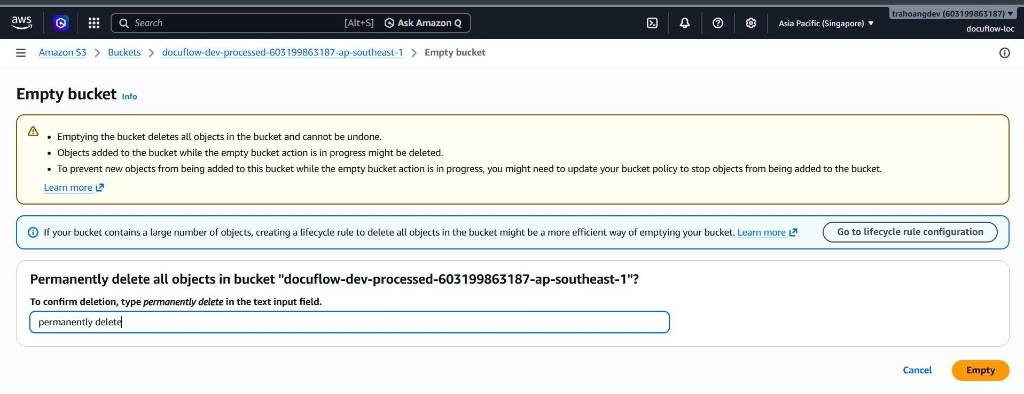
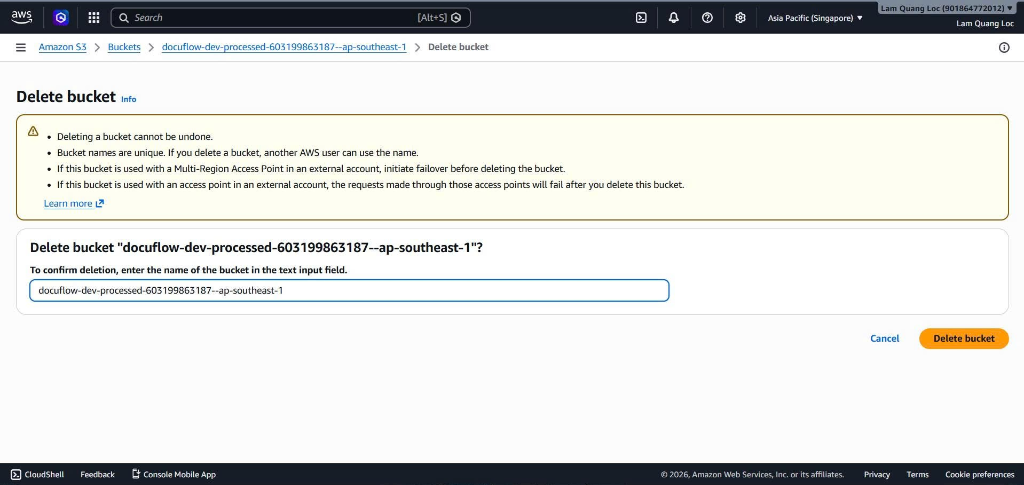
Once empty, select the bucket -> Click Delete -> Type the name of the bucket to delete it permanently.
Step 2: Delete DynamoDB Documents Table
Go to DynamoDB -> select Tables from the left sidebar.
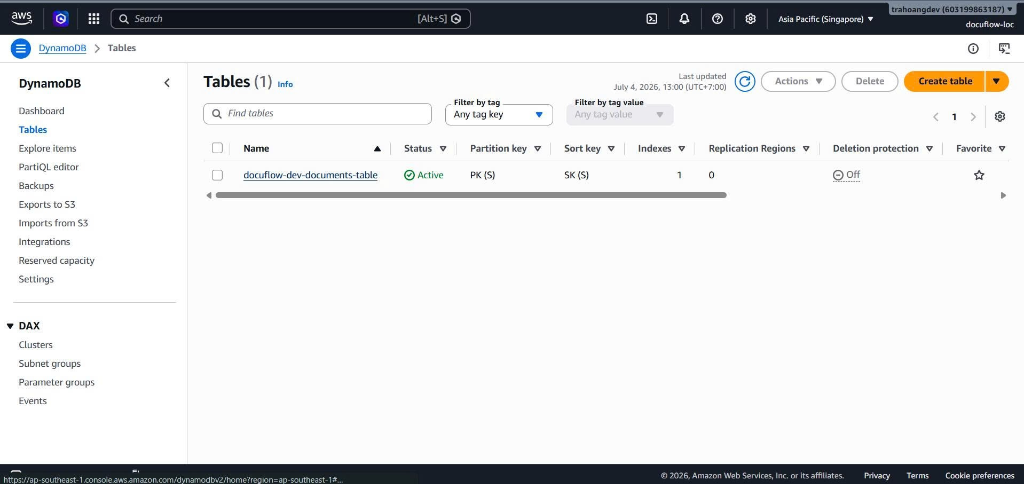
Select the main project table:
docuflow-dev-documents-table.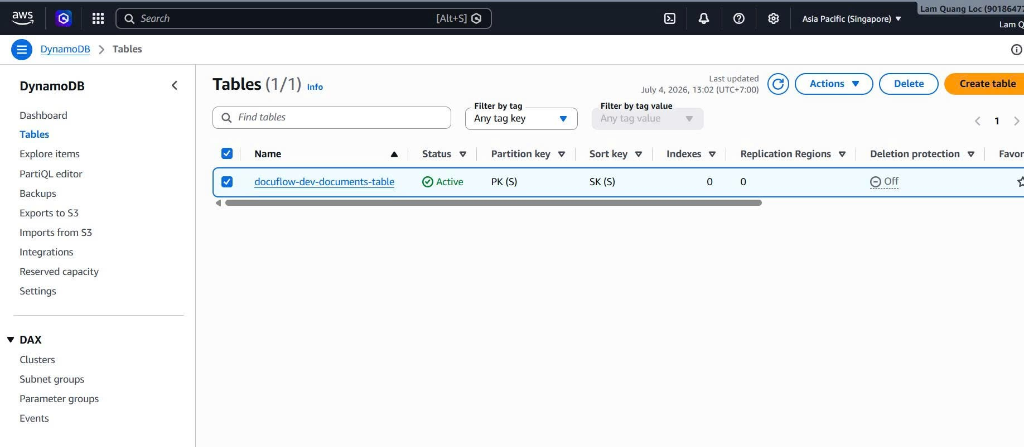
Click the Delete button in the top menu -> Type
confirmin the confirmation dialog and click Delete.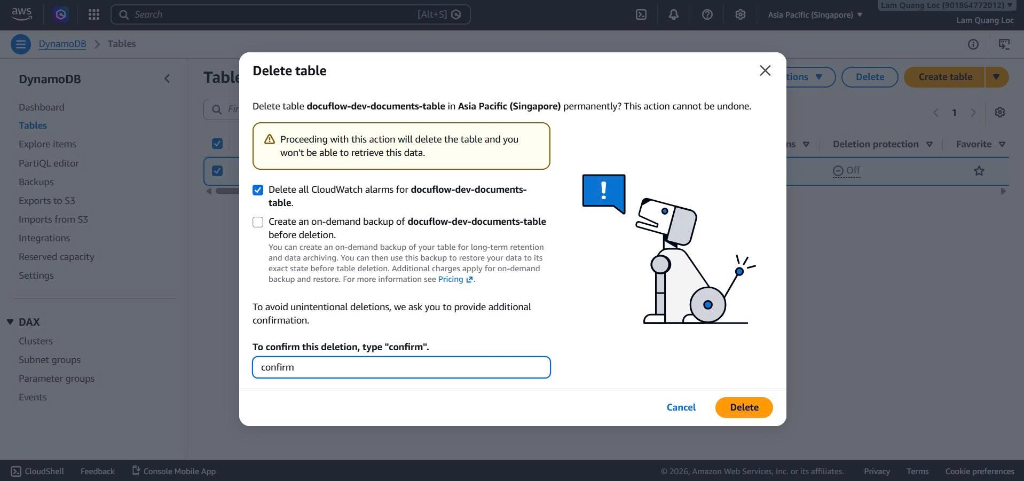
Step 3: Delete Backend Lambda Functions
Go to Lambda, select all the newly created functions.
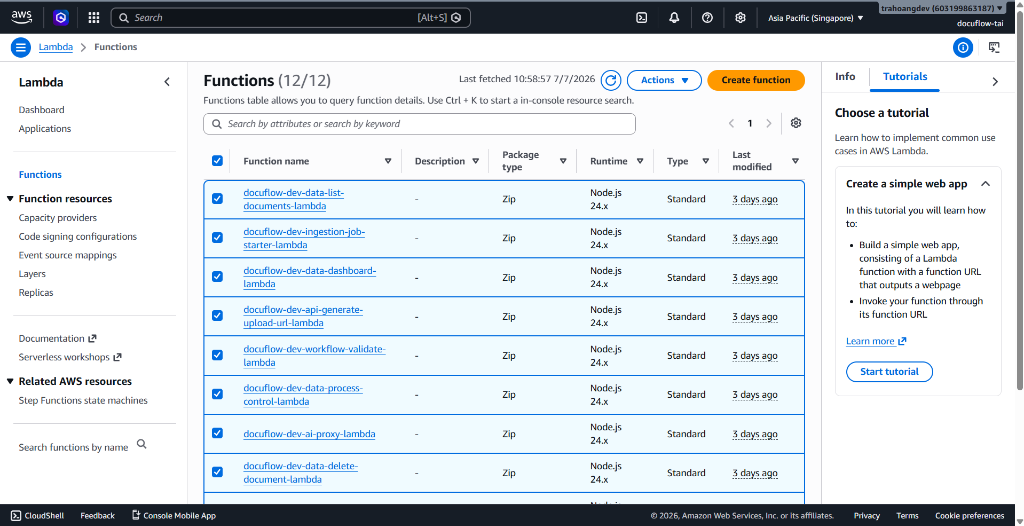
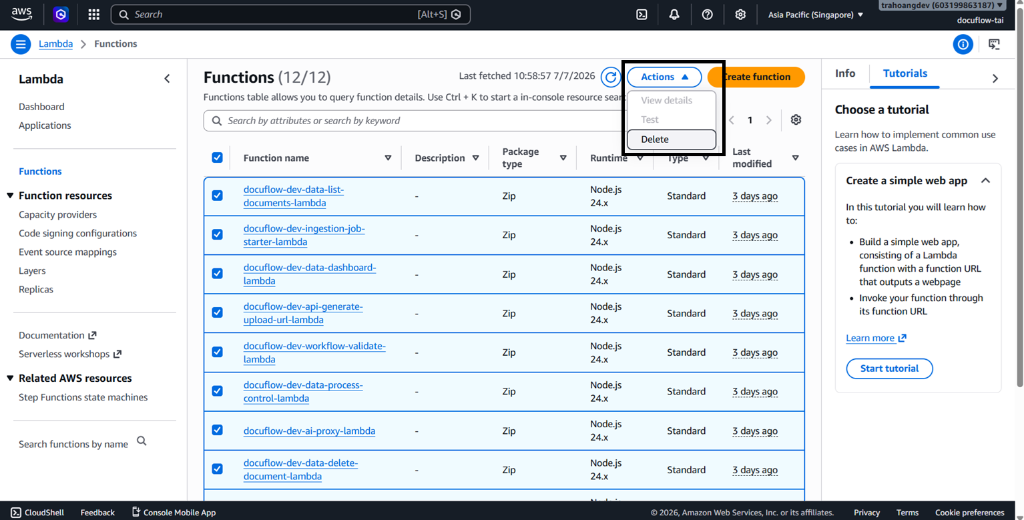
In Actions, click the dropdown to select Delete.
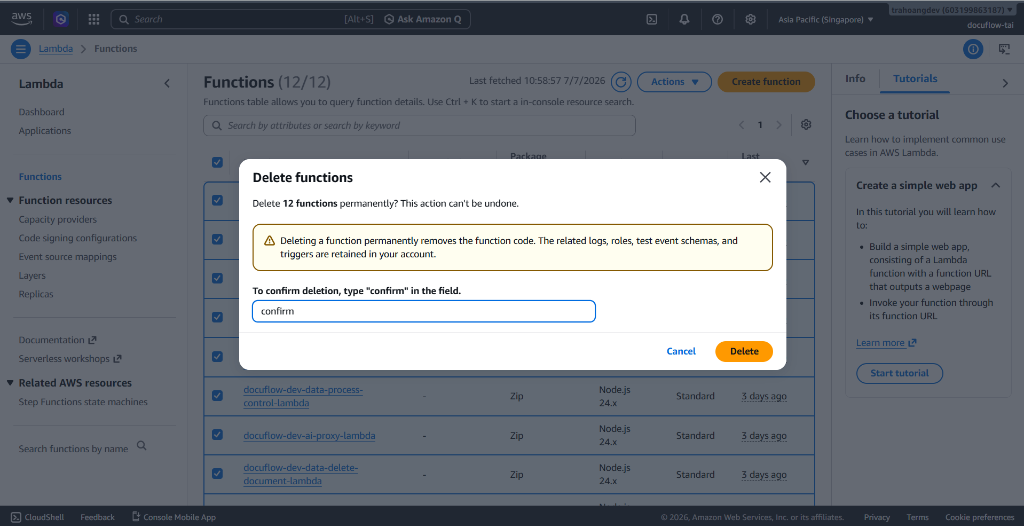
After clicking Delete, a Delete functions screen will appear, type confirm to delete the newly created functions.
Step 4: Delete the Connected API Gateway
Go to the API Gateway Console.
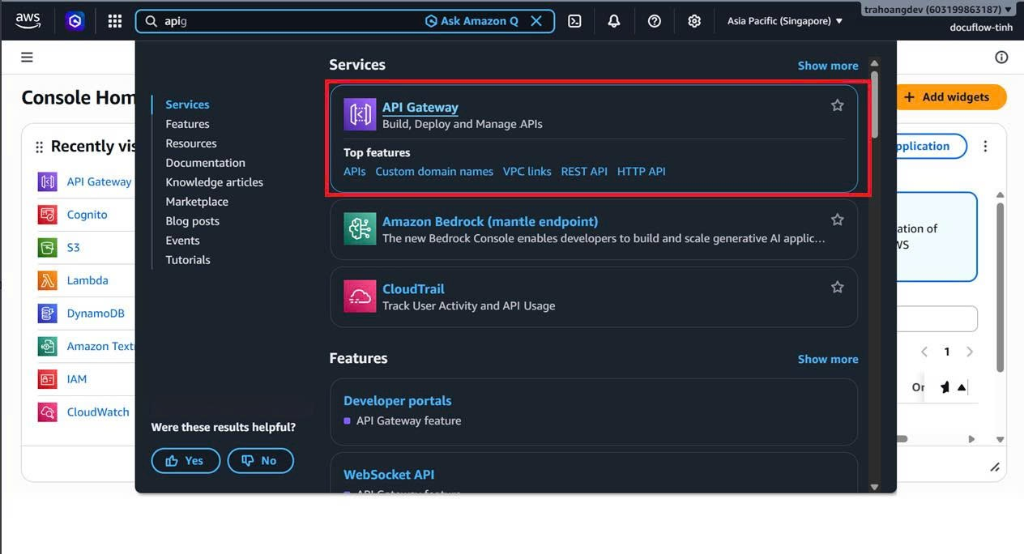
Select the project API:
docuflow-dev-api.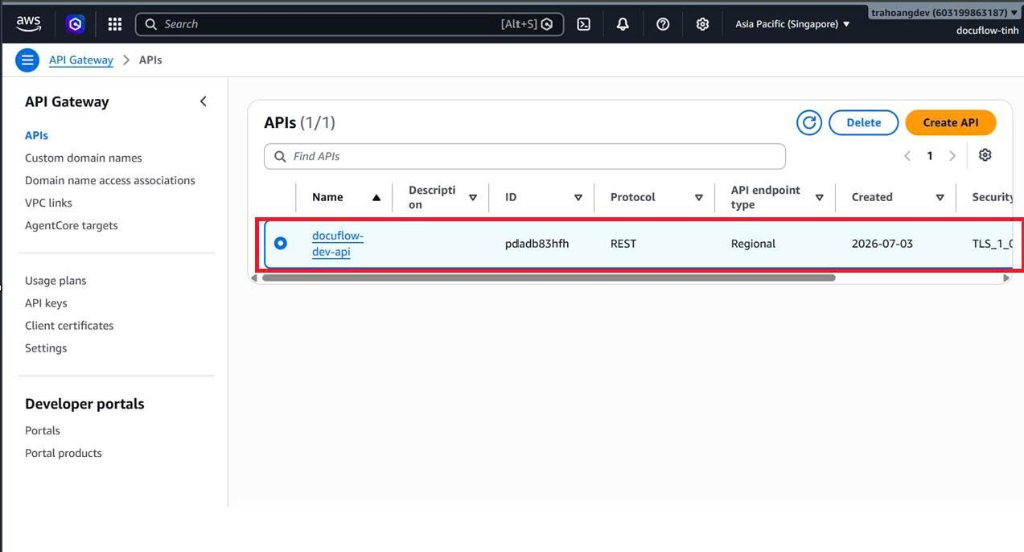
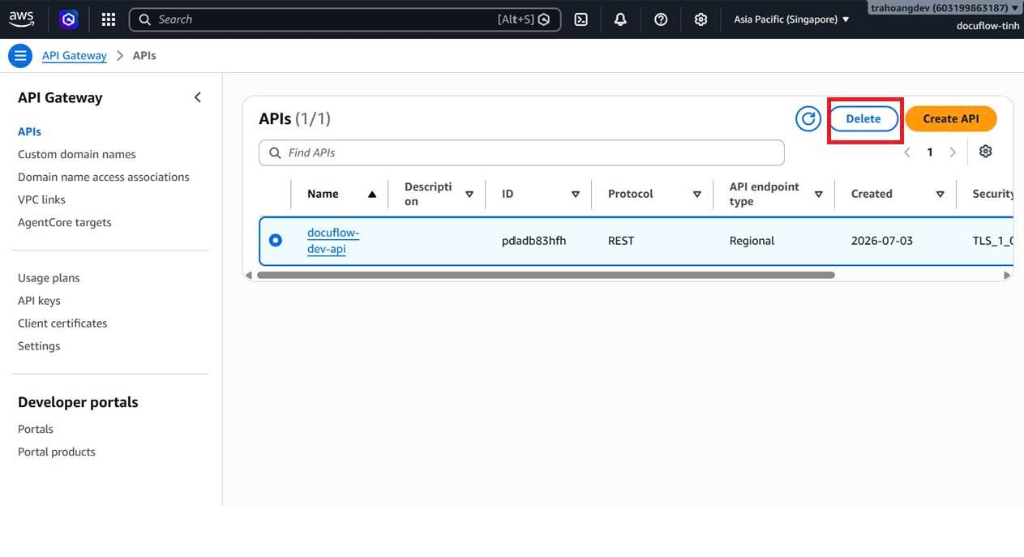
Click the Delete button -> Confirm the action.
Step 5: Delete CloudWatch Alarms
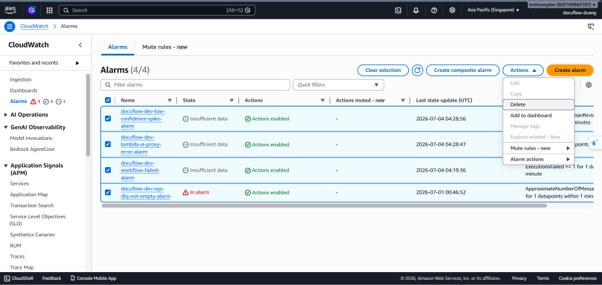
- Go to CloudWatch -> Choose Alarms -> All alarms in the left sidebar.
- Select the four alarms created for the project:
docuflow-dev-workflow-failed-alarmdocuflow-dev-sqs-dlq-not-empty-alarmdocuflow-dev-lambda-ai-proxy-error-alarmdocuflow-dev-low-confidence-spike-alarm
- Click Actions -> Select Delete -> click Delete to confirm.
Step 6: Delete CloudWatch Log Groups
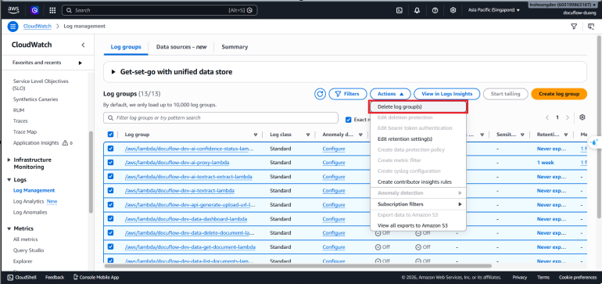
- Still in CloudWatch, choose Logs -> Log groups.
- Select the six log groups associated with your Lambda functions:
/aws/lambda/docuflow-dev-api-generate-upload-url-lambda/aws/lambda/docuflow-dev-ingestion-job-starter-lambda/aws/lambda/docuflow-dev-workflow-validate-lambda/aws/lambda/docuflow-dev-ai-textract-lambda/aws/lambda/docuflow-dev-ai-proxy-lambda/aws/lambda/docuflow-dev-ai-confidence-status-lambda
- Click Actions -> Select Delete log group(s) -> Confirm the action.
Step 7: Delete SNS Topics & SES Verified Identities
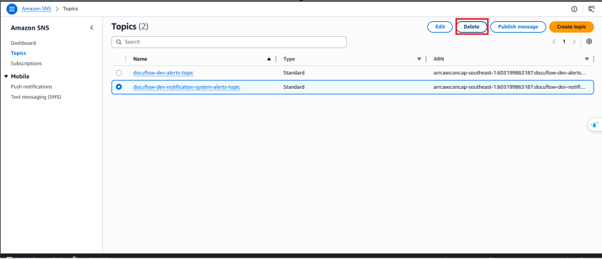
- SNS Topic: Go to Simple Notification Service (SNS) -> Select Topics -> select
docuflow-dev-notification-system-alerts-topic-> Click Delete -> Typedelete meto confirm.
- SES Email Identity: Go to Simple Email Service (SES) -> Select Verified identities -> select your verified email address -> Click Delete -> Confirm the deletion.
Step 8: Stop & Delete CloudTrail Audit Logs
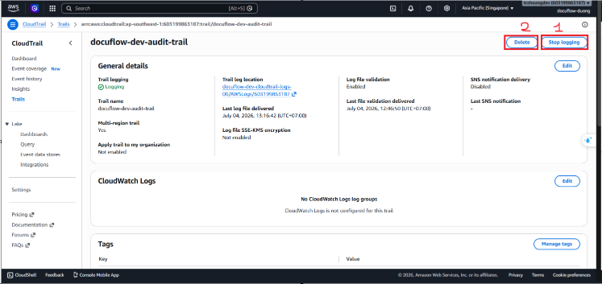
- Go to CloudTrail -> Select Trails on the left menu.
- Click on the project trail:
docuflow-dev-audit-trail. - Click Stop logging -> then click Delete to remove the trail.
Step 9: Delete AWS Budgets cost alerts
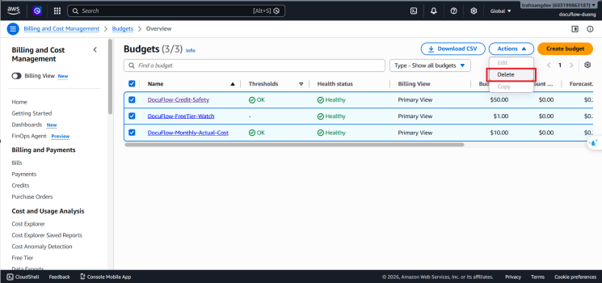
- Search for Budgets in the AWS console -> Select AWS Budgets.
- Select the three budgets:
DocuFlow-Monthly-Actual-CostDocuFlow-Credit-SafetyDocuFlow-FreeTier-Watch
- Click Actions -> Select Delete -> Confirm the deletion.
Step 10: Delete external AI credentials in Secrets Manager
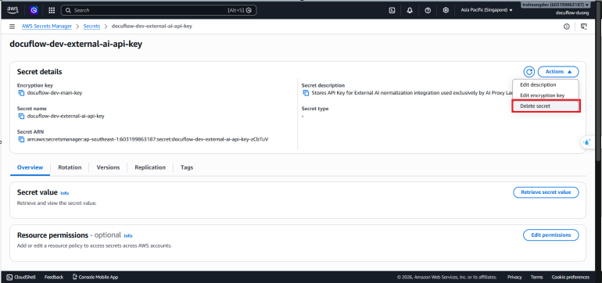
- Go to Secrets Manager -> select the secret:
docuflow-dev-external-ai-api-key. - Click Actions -> Select Delete secret.
- Set the waiting period to the minimum of 7 days to disable the secret immediately and avoid future billing.
Step 11: Remove IAM Roles & Policies
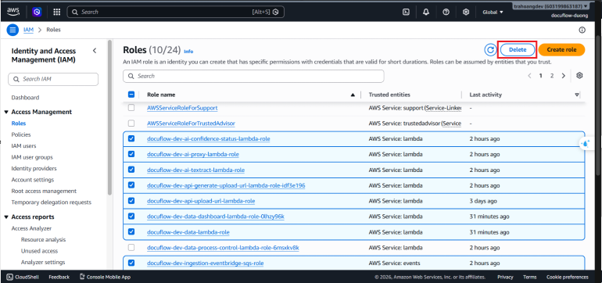
- Go to IAM -> Select Roles in the left sidebar.
- Search and select the nine roles created in Step 3:
docuflow-dev-security-upload-url-roledocuflow-dev-security-job-starter-roledocuflow-dev-workflow-stepfunctions-roledocuflow-dev-ai-textract-lambda-roledocuflow-dev-security-ai-proxy-roledocuflow-dev-data-lambda-roledocuflow-dev-notification-lambda-roledocuflow-dev-workflow-validate-lambda-roledocuflow-dev-ai-confidence-status-lambda-role
- Click Delete and type the role names to confirm.
- Go to Policies -> Search and delete all custom policies (e.g.
docuflow-dev-ingestion-s3-raw-access-policy,docuflow-dev-ai-secret-read-policy, etc.).
Step 12: Schedule KMS Key Deletion (Must be performed last)
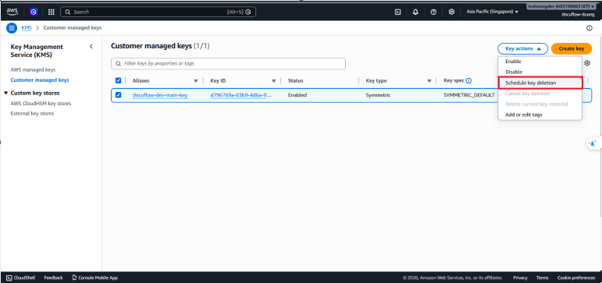
- Go to Key Management Service (KMS) -> select Customer managed keys.
- Select the CMK key:
docuflow-dev-main-key. - Click Key actions -> Select Schedule key deletion.
- Set the waiting period to 7 days (the minimum allowed waiting period by AWS).
- Click the orange confirmation button. The key state will transition to
Pending deletionand maintenance fees will freeze.
Step 13: Delete Cognito
Go to the Cognito Console.
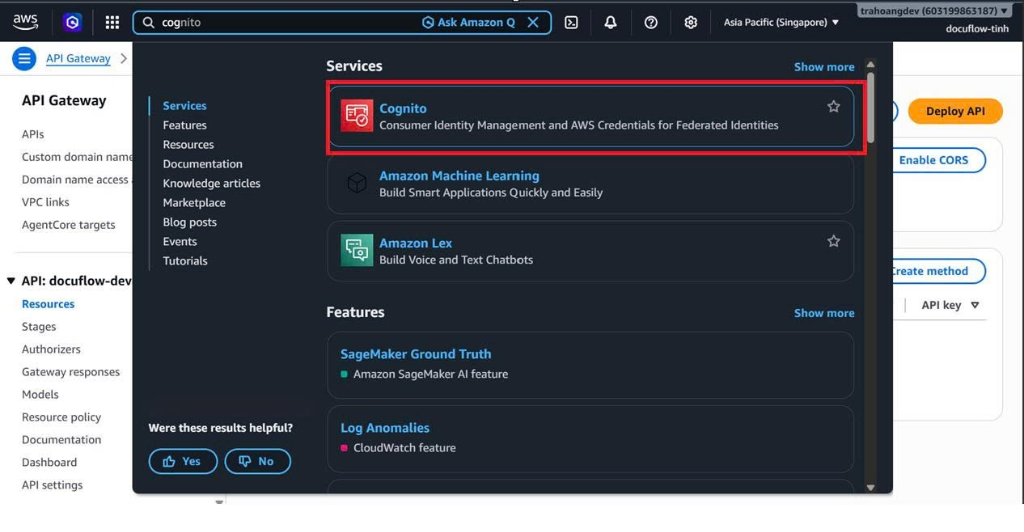
Select the User pool:
User pool - ....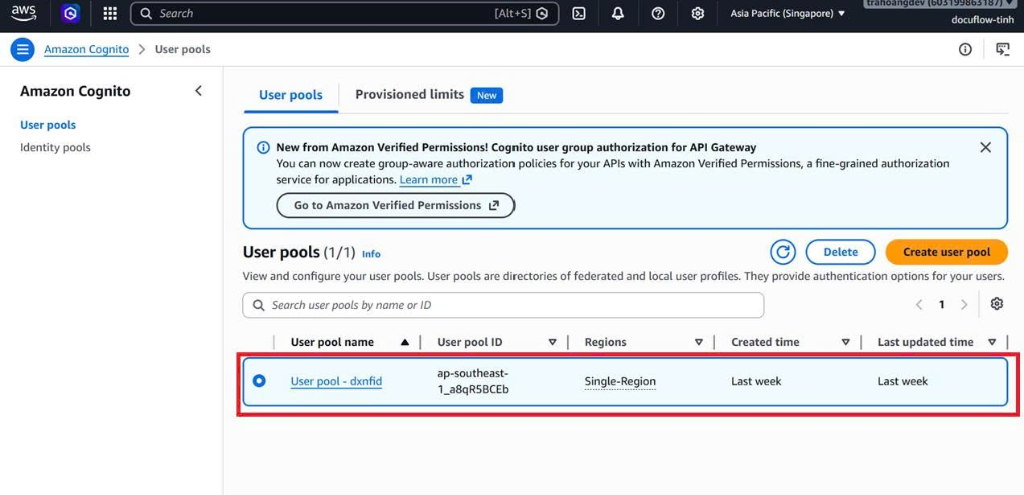
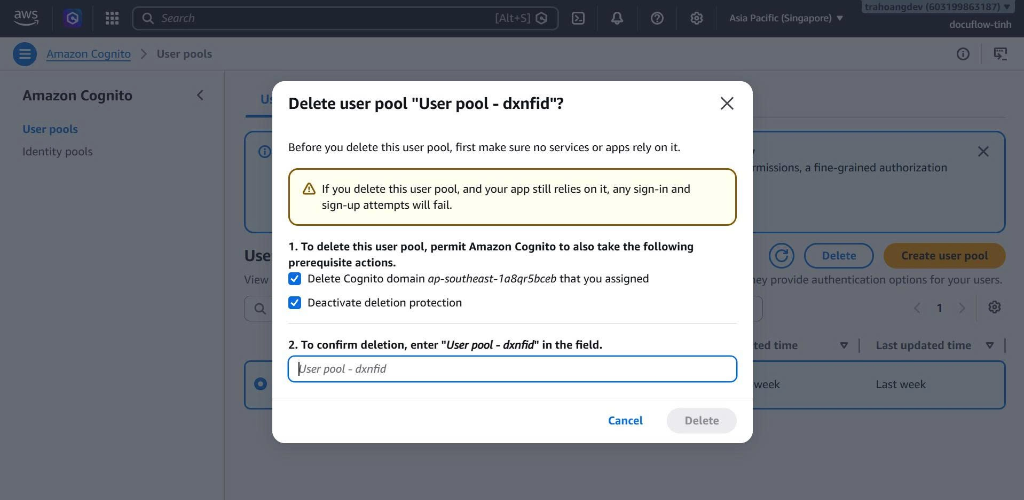
Click Delete on the top menu -> Check the prerequisite actions and type the pool name to confirm deletion.
3. Expected Result
- All billable AWS resources are deleted.
- Verification steps ensure no lingering charges accumulate post-workshop.
4. Evidence
- Confirm that the workshop S3 buckets no longer appear in the S3 console.
- Confirm that all project resources listed above have been deleted.
- Review AWS Billing and Cost Explorer after cleanup to detect unexpected remaining usage.