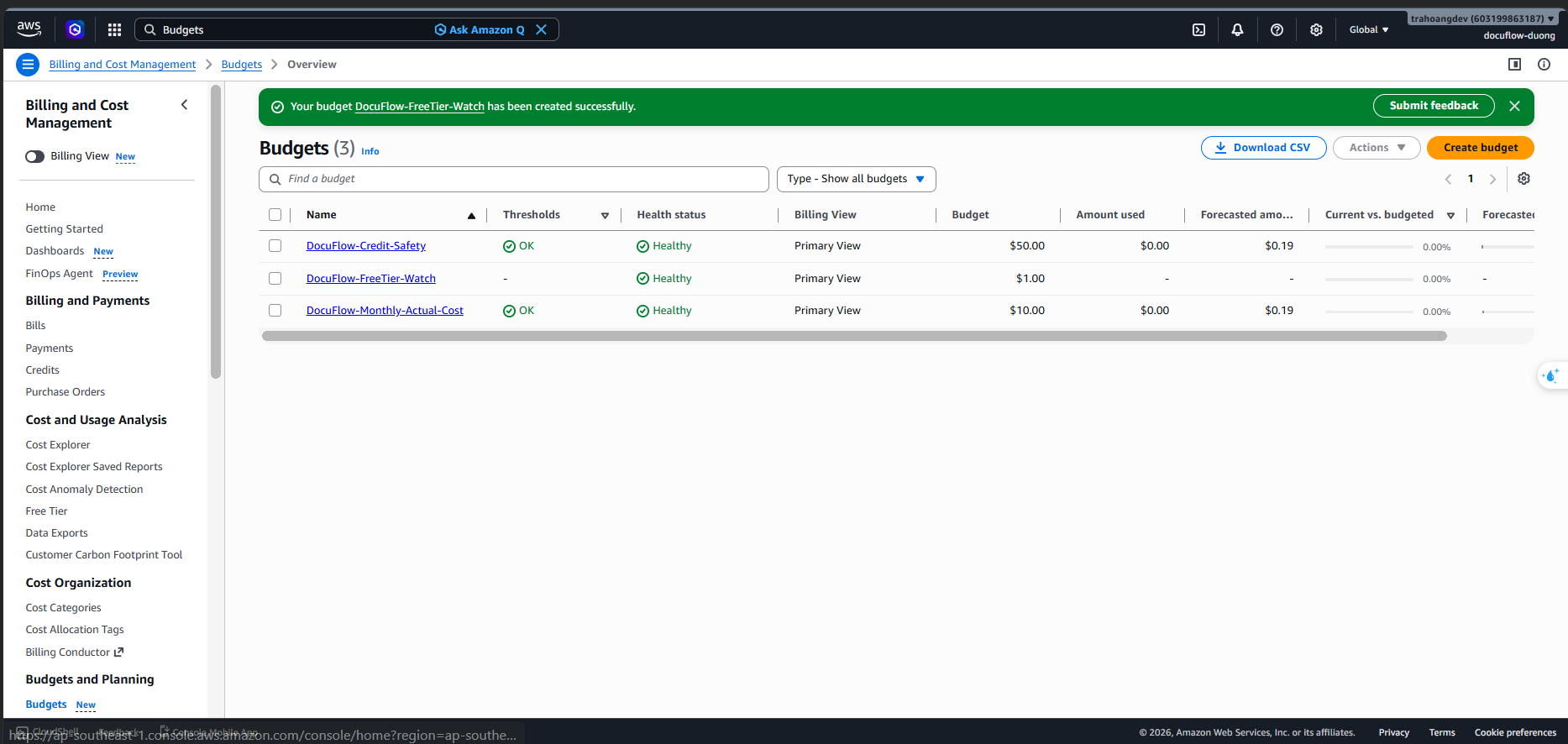
Configure Budget Alerts
To manage the project budget and protect your account from unexpected bills, we will configure three distinct types of monthly cost budgets that trigger email alerts.
Step-by-Step Budget Deployment in AWS Console
Common Steps:
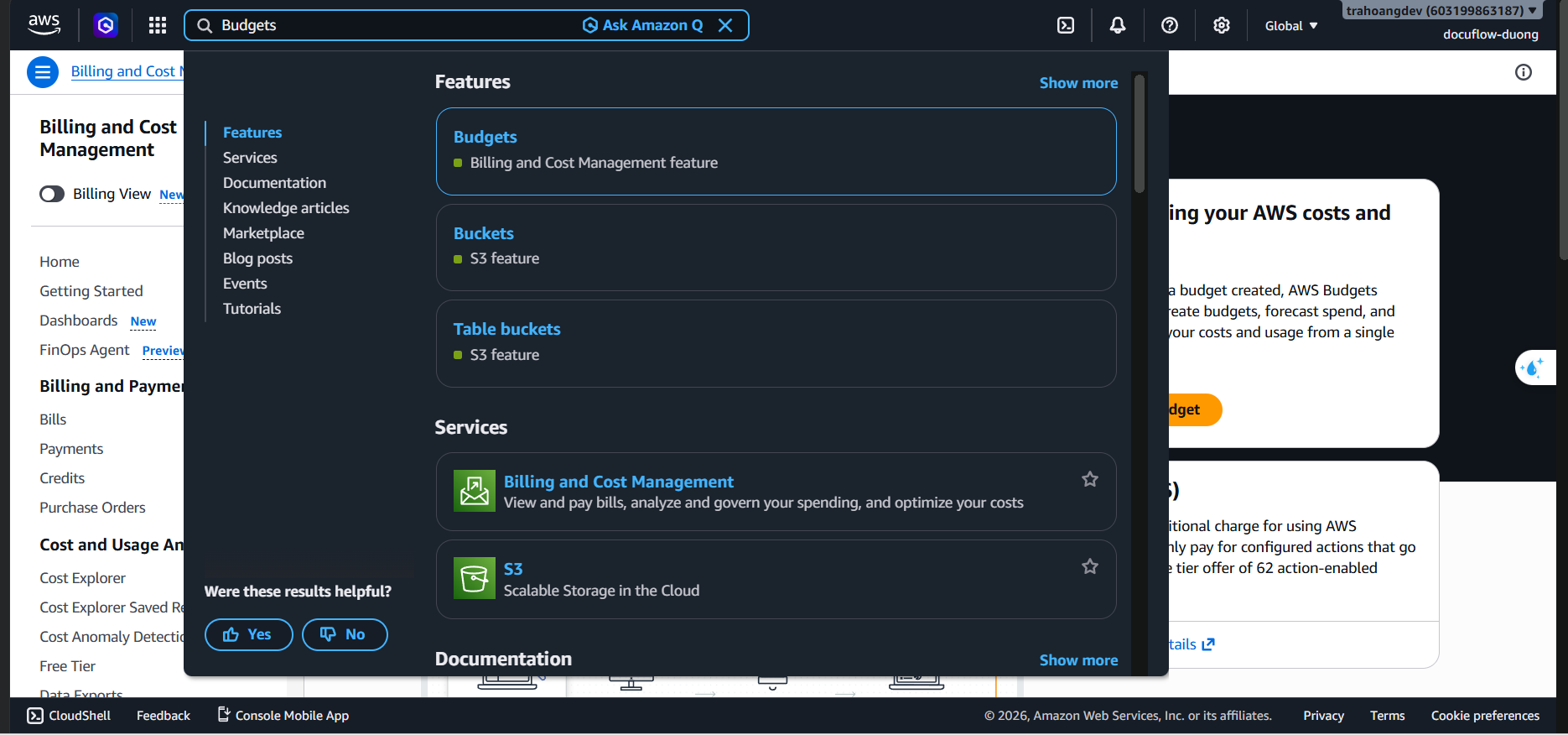
Search for Budgets in the AWS Console search bar ➔ Select AWS Budgets.
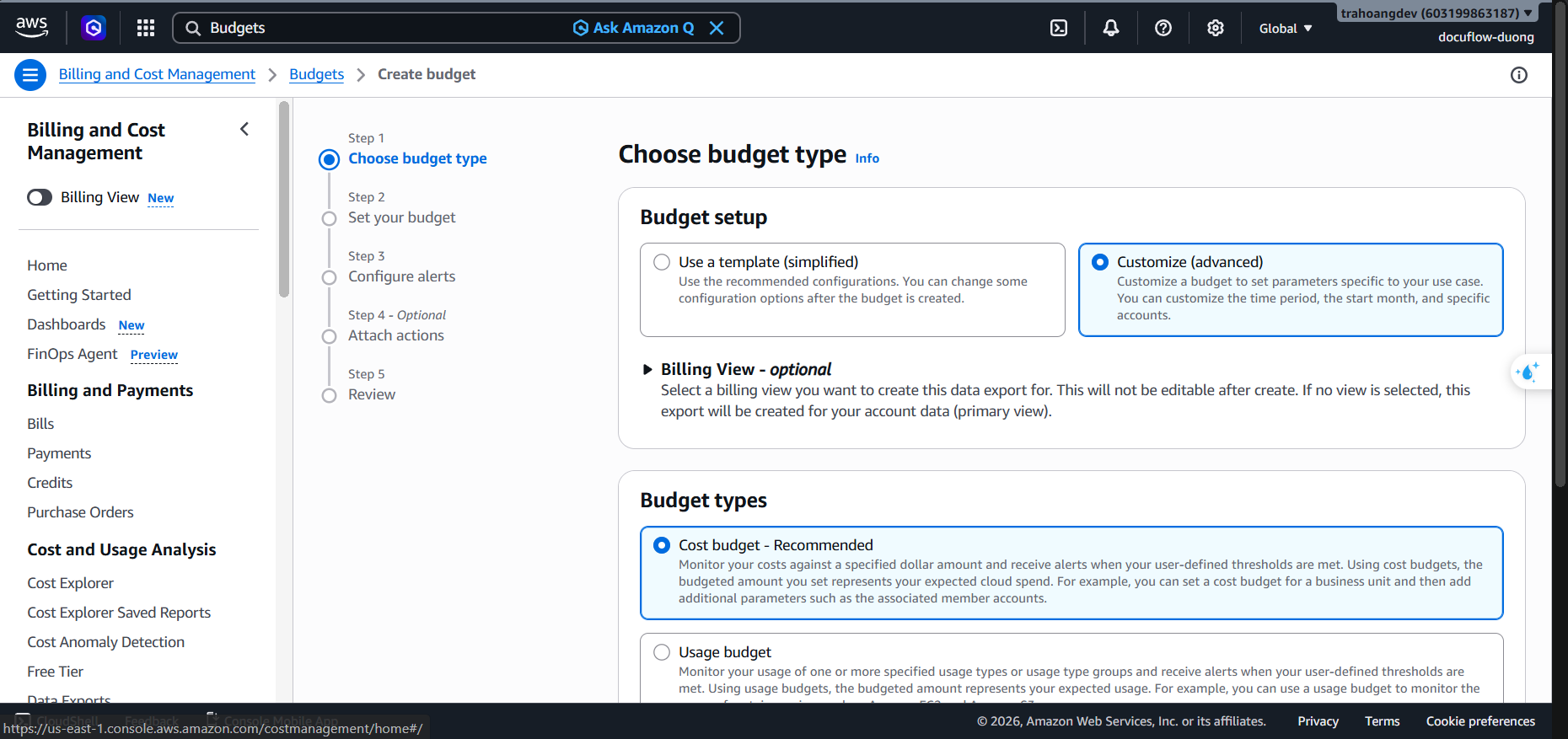
Click the Create budget button ➔ Select Cost budget - Recommended ➔ Click Next.
Configure period and amount:
- Period: Select
Monthly. - Budget planning: Select
Recurring budget. - Budgeting method: Select
Fixed.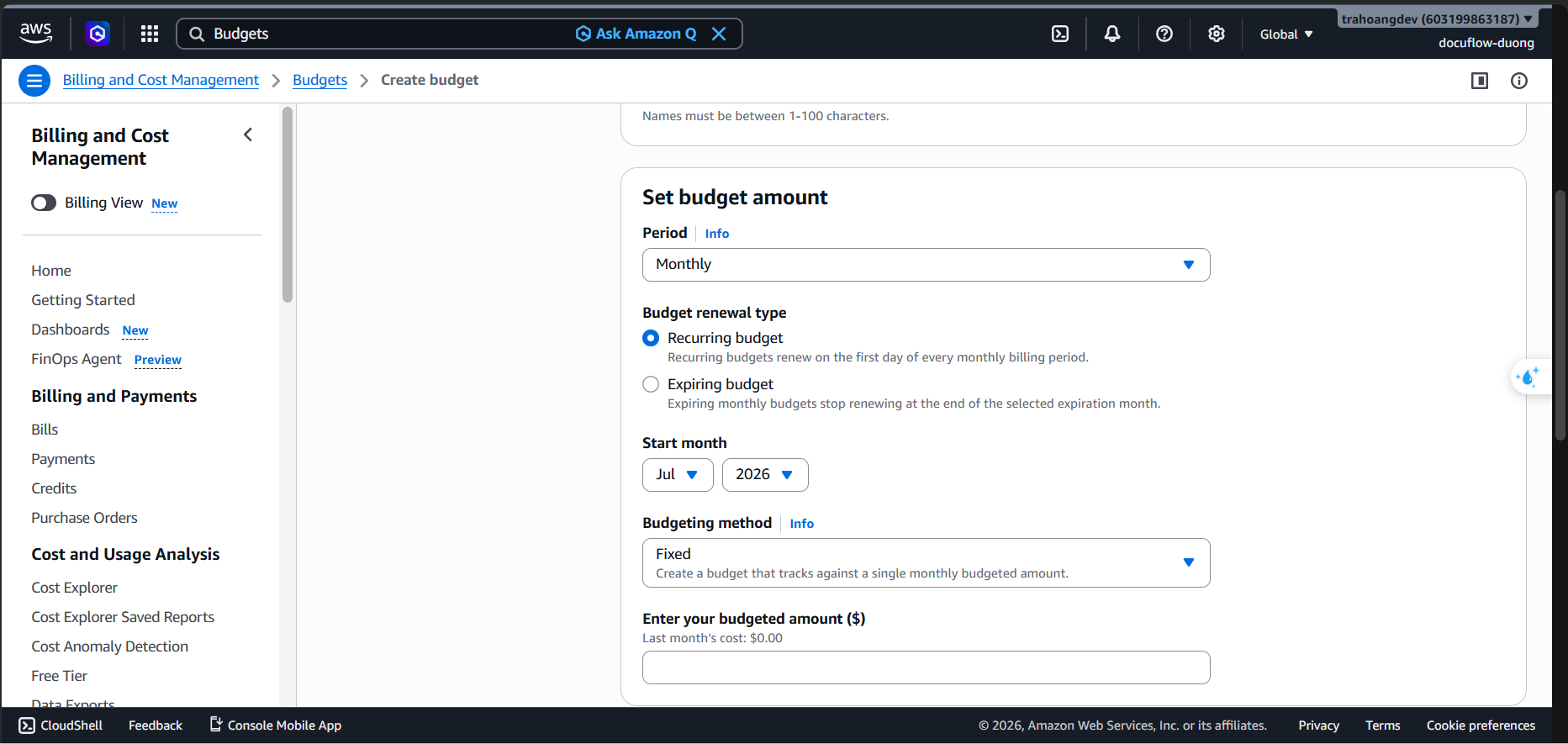
- Period: Select
1. Budget 1: Actual Cost Budget (Soft Limit)
Budget Name:
DocuFlow-Monthly-Actual-CostBudget Amount: Enter
$10USD.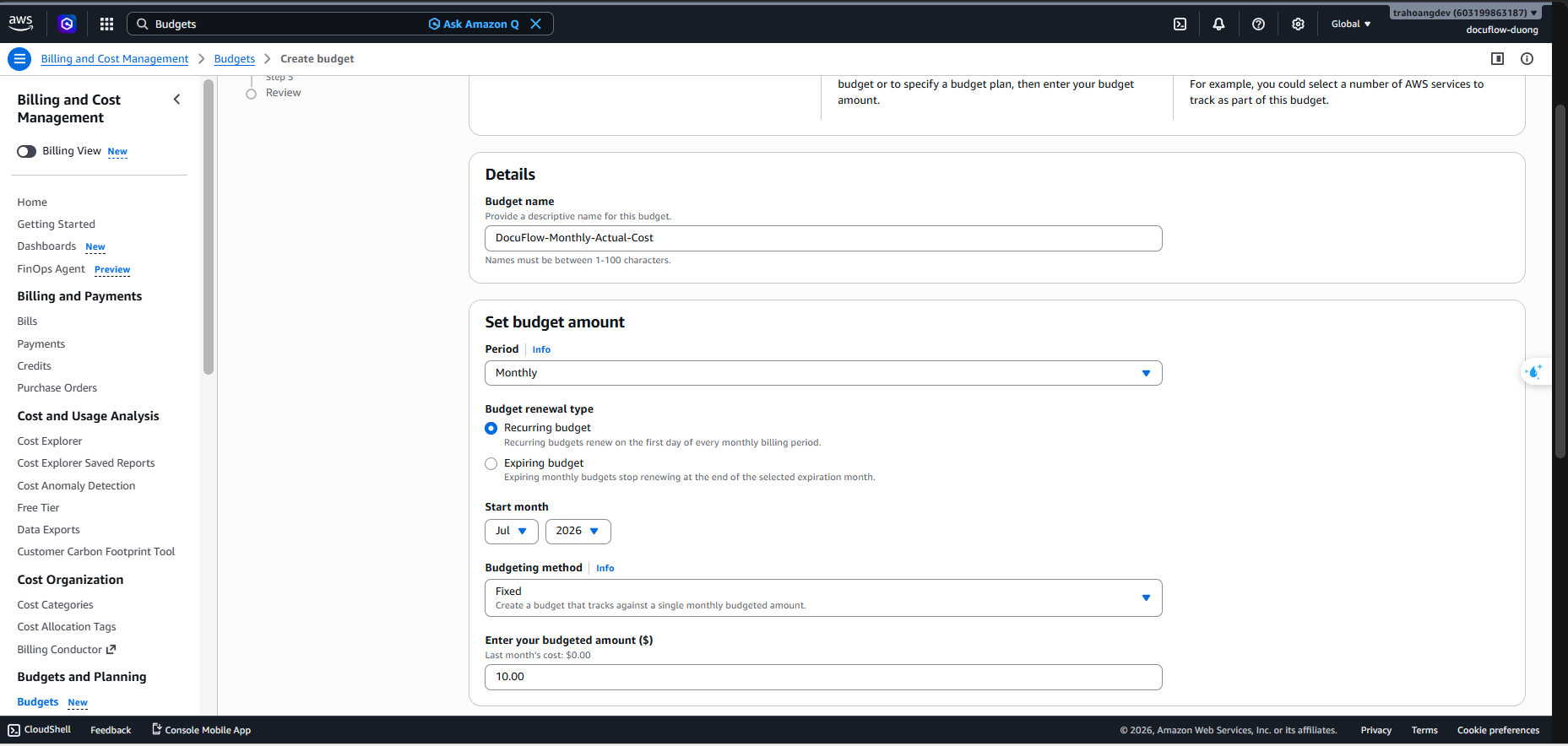
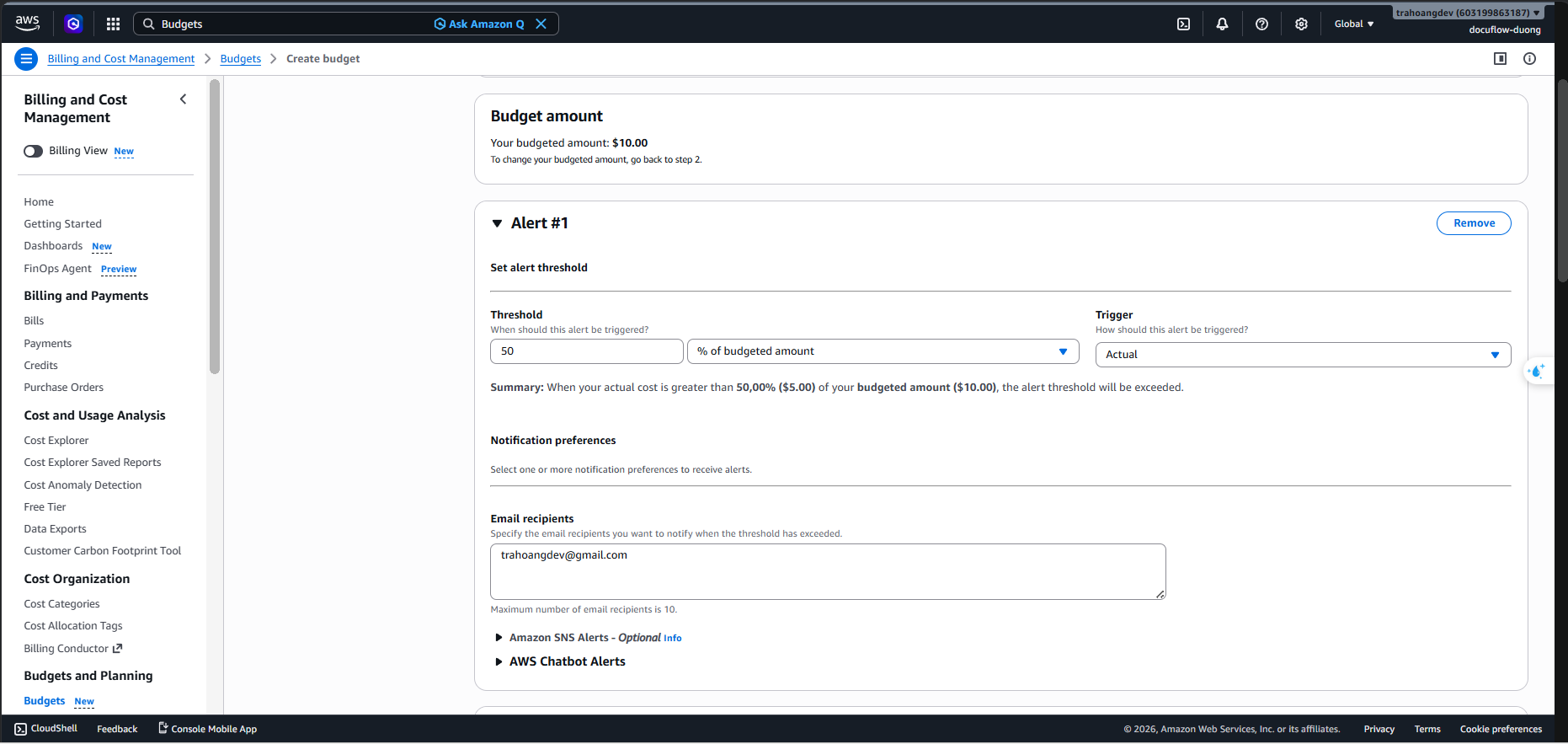
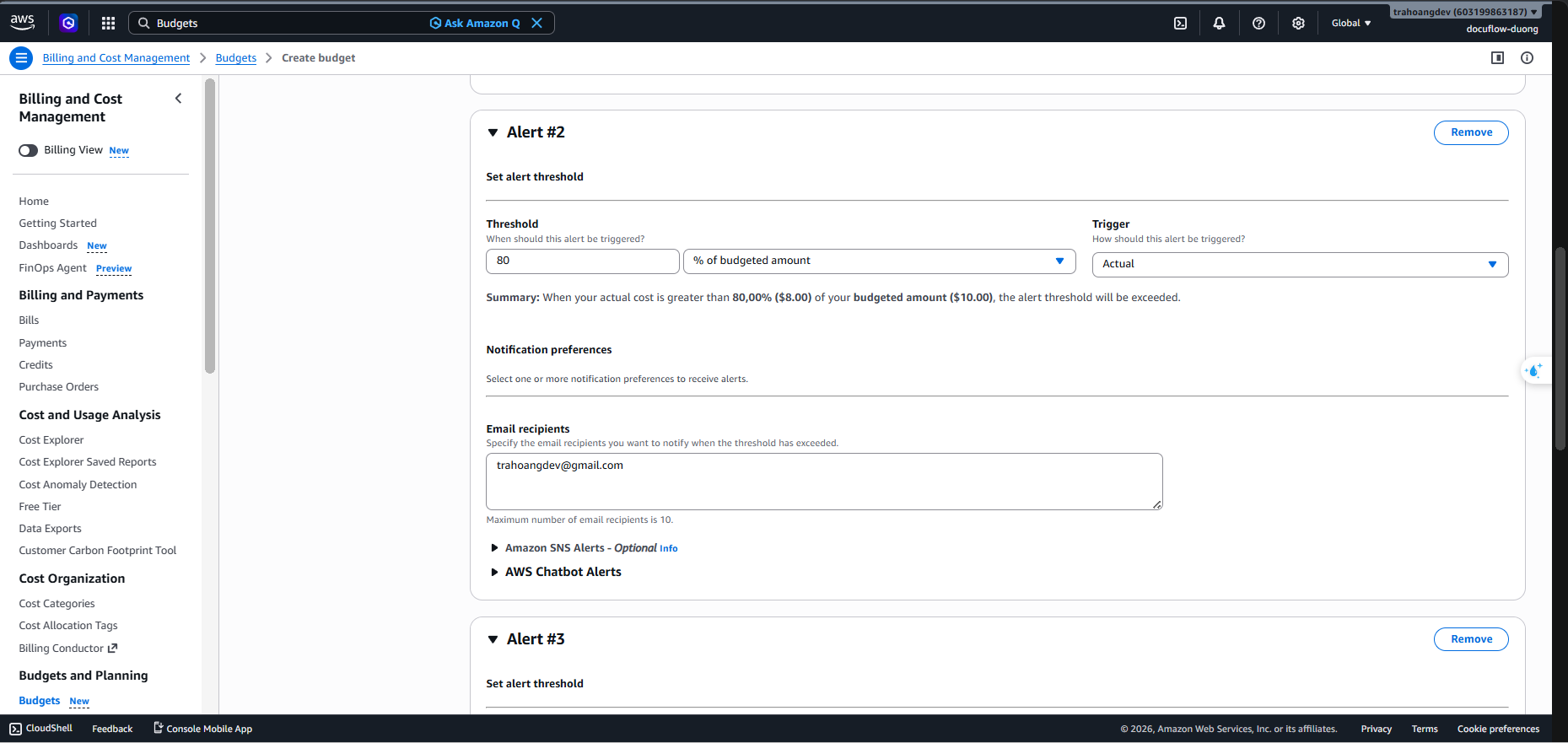
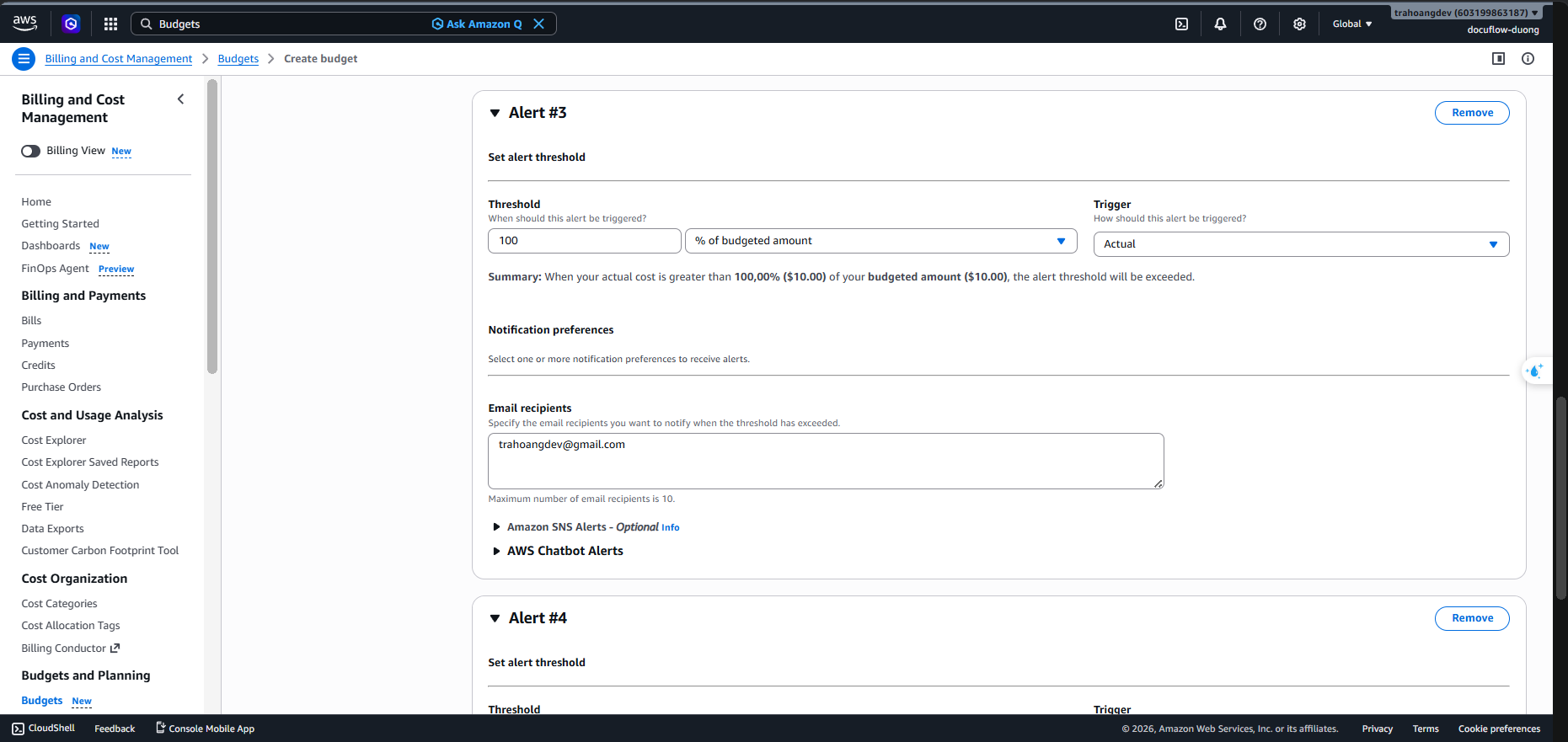
Configure Alerts: Click Add alert threshold to create 4 alert thresholds sent to your email:
- Threshold 1: 50% Actual (When actual cost reaches $5 USD).
- Threshold 2: 80% Actual (When actual cost reaches $8 USD).
- Threshold 3: 100% Actual (When actual cost reaches $10 USD).
- Threshold 4: 100% Forecasted (When the system forecasts the cost will reach or exceed $10 USD by the end of the month).
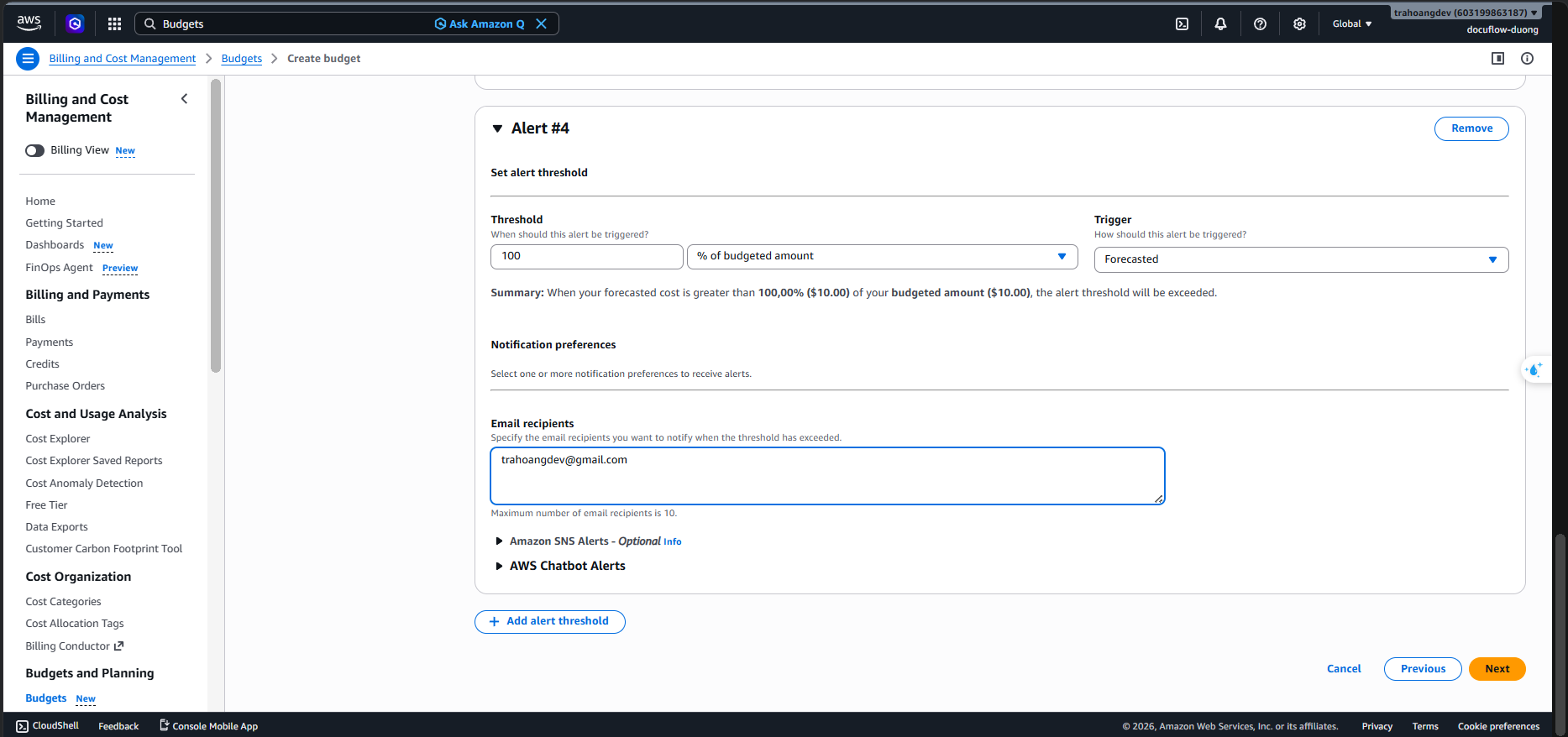
- Threshold 1: 50% Actual (When actual cost reaches $5 USD).
Email recipients: Enter your email address to receive alerts.
Click Next ➔ Create budget.
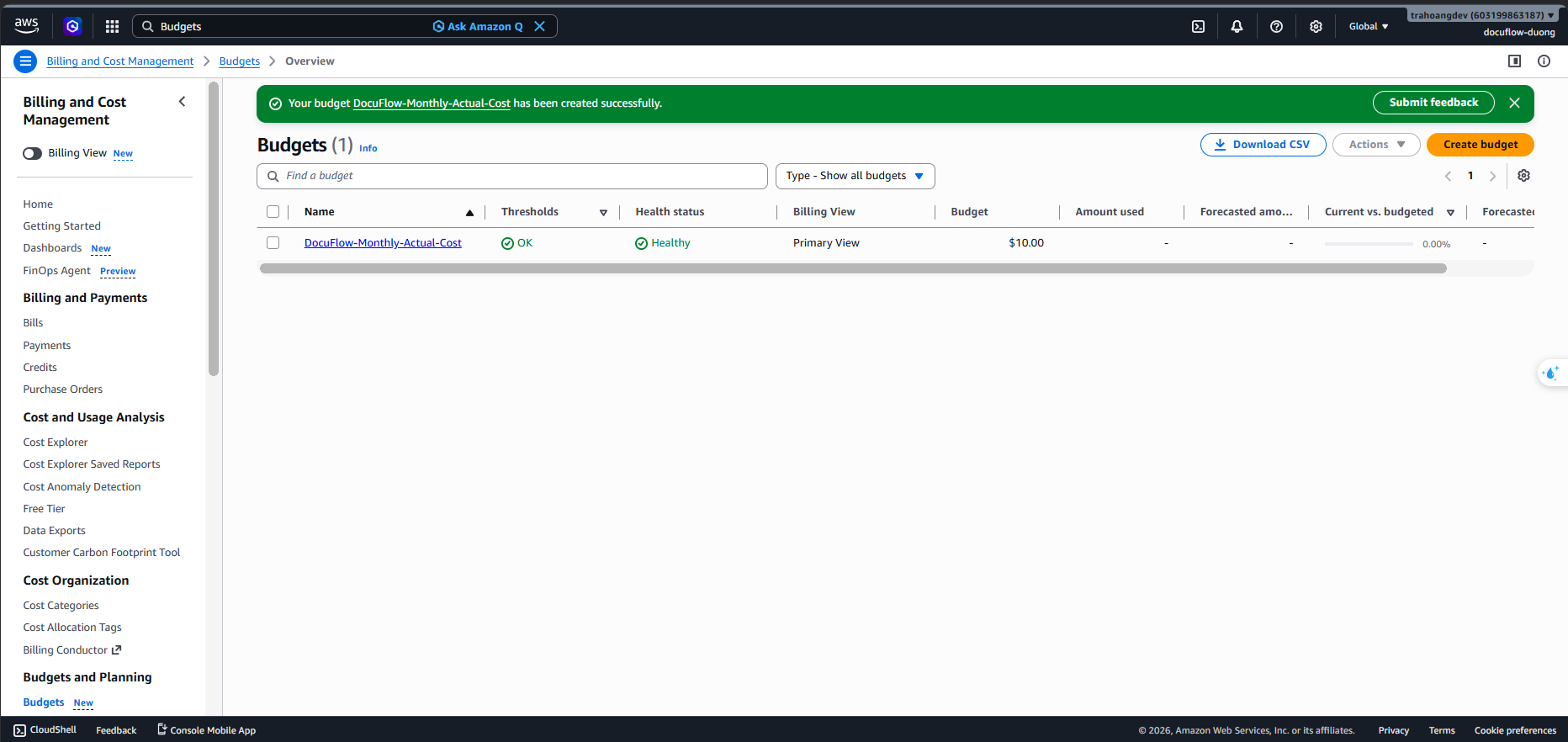
2. Budget 2: Credits Safety Budget
Budget Name:
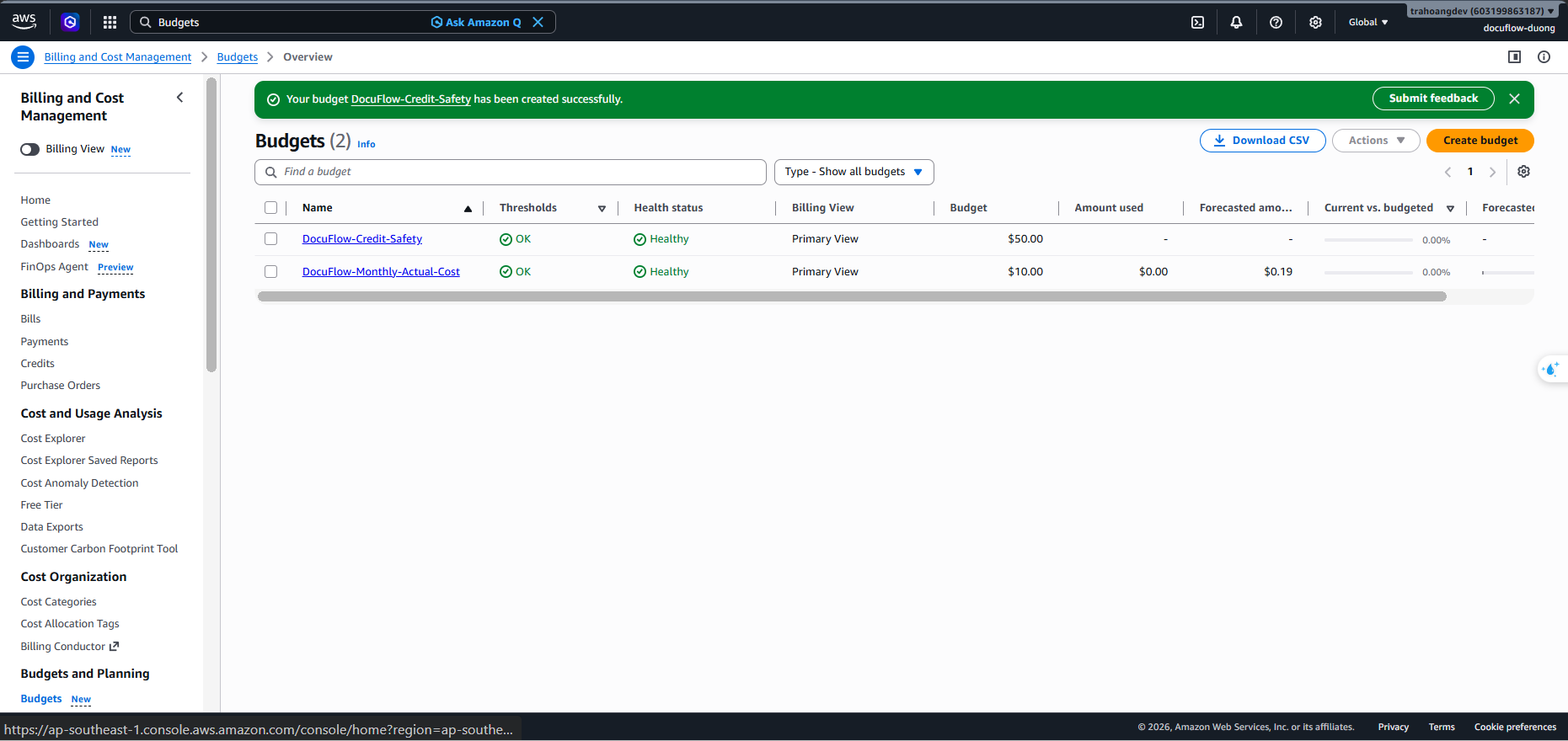
DocuFlow-Credit-SafetyBudget Amount: Enter
$50USD.Purpose: Acts as an Escalation Warning to protect the project’s $200 credit package.
Configure Alerts: Add thresholds for 40%, 70%, 90%, and 100% for both Actual and Forecasted costs.
3. Budget 3: Free Tier Monitor Budget
Budget Name:
DocuFlow-FreeTier-WatchBudget Amount: Enter
$1USD.Purpose: Closely monitor if free tier limits are exceeded.
Important Note: Use Email-only alerts, absolutely do not enable Budget Actions (automatically blocking/stopping resources) to avoid disrupting the system during testing or demos.