Testing and Reporting
We will set up Mock Data to independently test the data management API cluster, then use AWS CloudShell to run a statistical reporting script for the documents.
Step 1: Prepare Mock Data
To facilitate independent testing (not depending on the AI module), mock data has been created directly on AWS:
- DynamoDB Item: Create 01 simulated record (item) in the
docuflow-dev-documents-tablestoring basic metadata.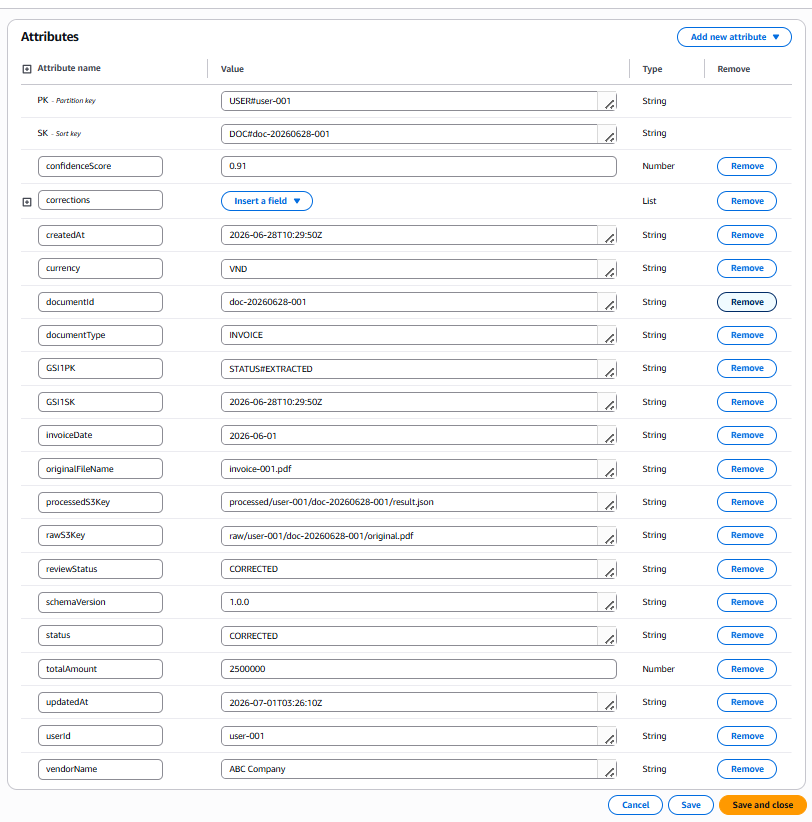
- S3 Processed JSON: Create 01 detailed
result.jsonfile (containing lineItems, workflow, extraction data) stored at the directoryprocessed/user-001/doc-20260628-001/in the S3 bucket.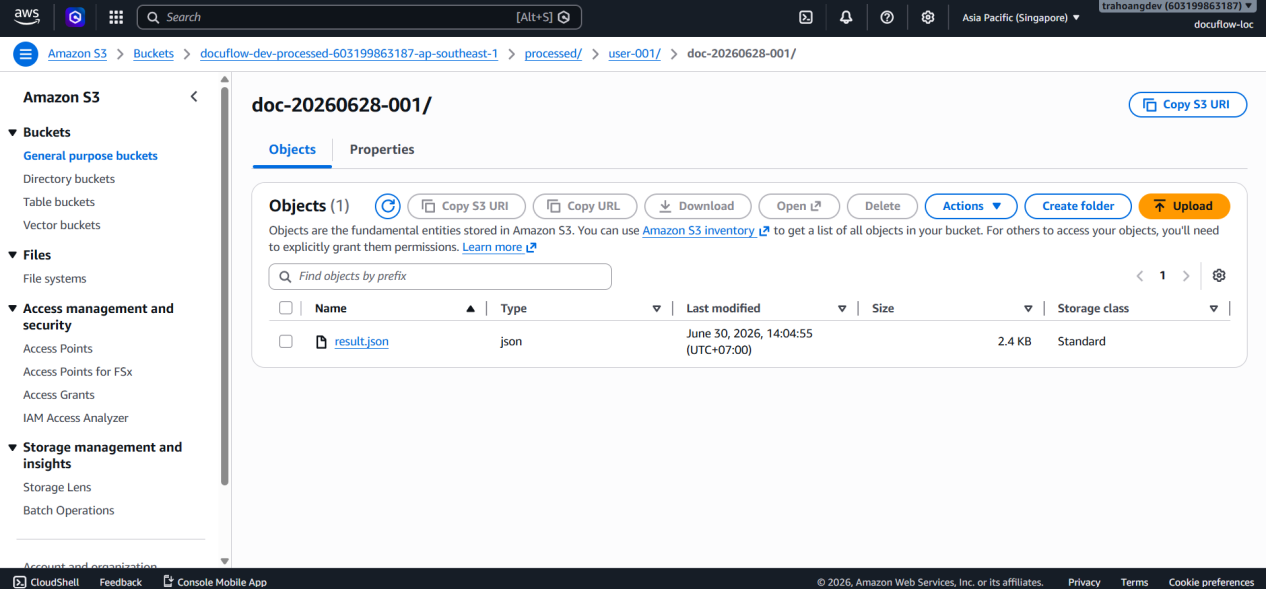
Step 2: Instructions for Testing the 3 Data APIs (API Testing)
The testing process is performed using the Test Event feature directly on the AWS Lambda Console interface, simulating requests sent from API Gateway.
- 2.1. Get Document API (
GET /documents/{documentId})- Lambda Function:
docuflow-dev-data-get-document-lambda - Test Scenario: The function receives
documentId, queries DynamoDB to get theprocessedS3Keypath, then connects to S3 to download and return the entire detailed JSON file. Ensure security keys (PK, SK, GSI) are filtered out.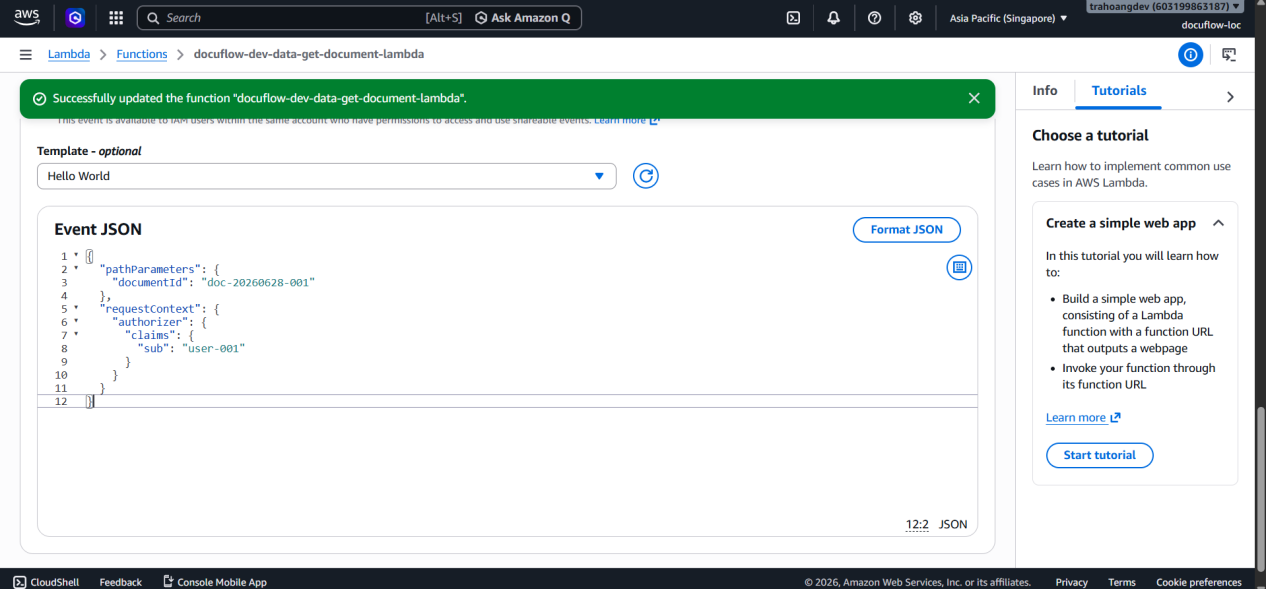
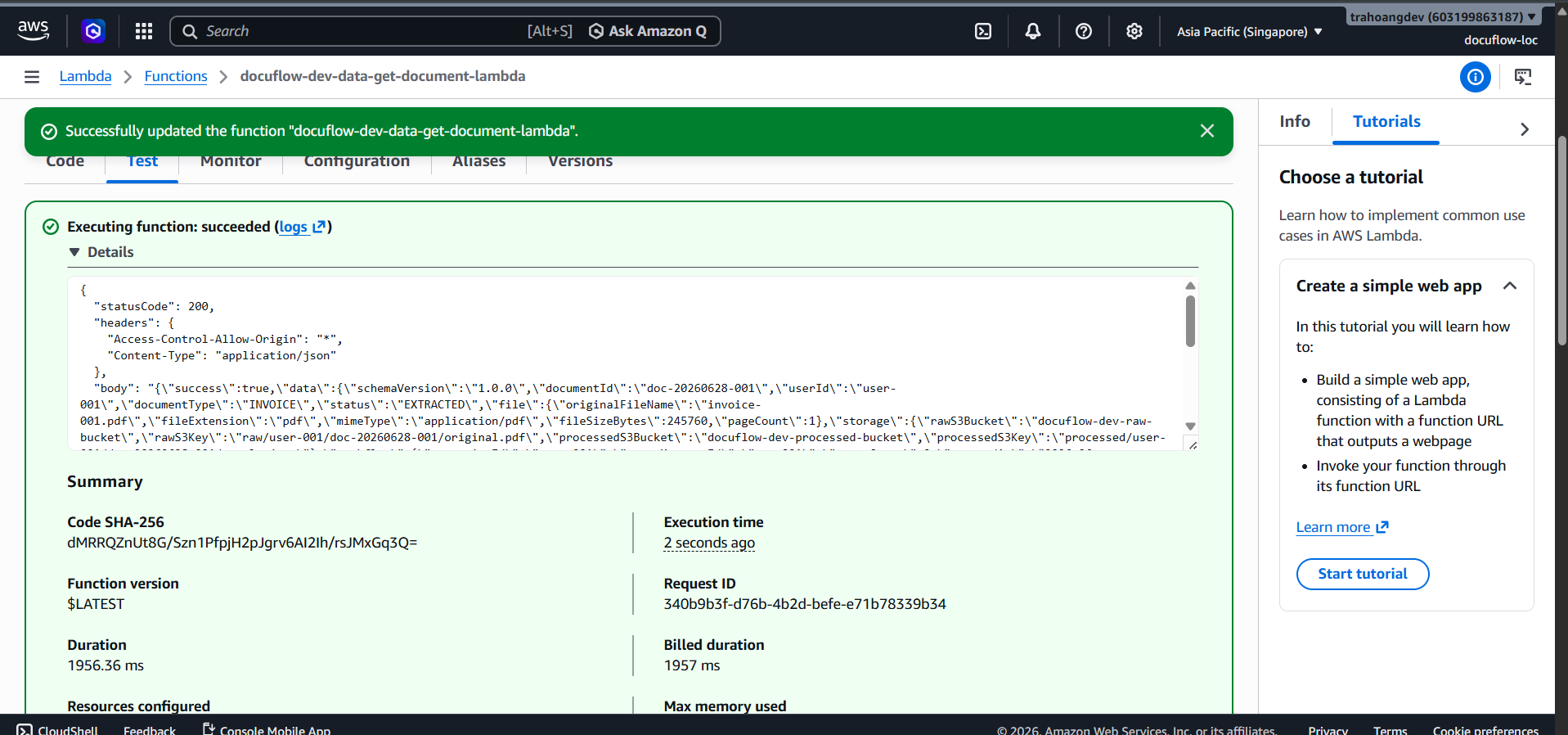
- Result: The API returns HTTP Status 200, displaying full document details without exposing internal keys.
- Lambda Function:
- 2.2. List Documents API (
GET /documents?status=...)- Lambda Function:
docuflow-dev-data-list-documents-lambda - Test Scenario: Pass the query string parameter
status: "EXTRACTED". The function executes a Query command on the Global Secondary Index (GSI) of DynamoDB to filter the list.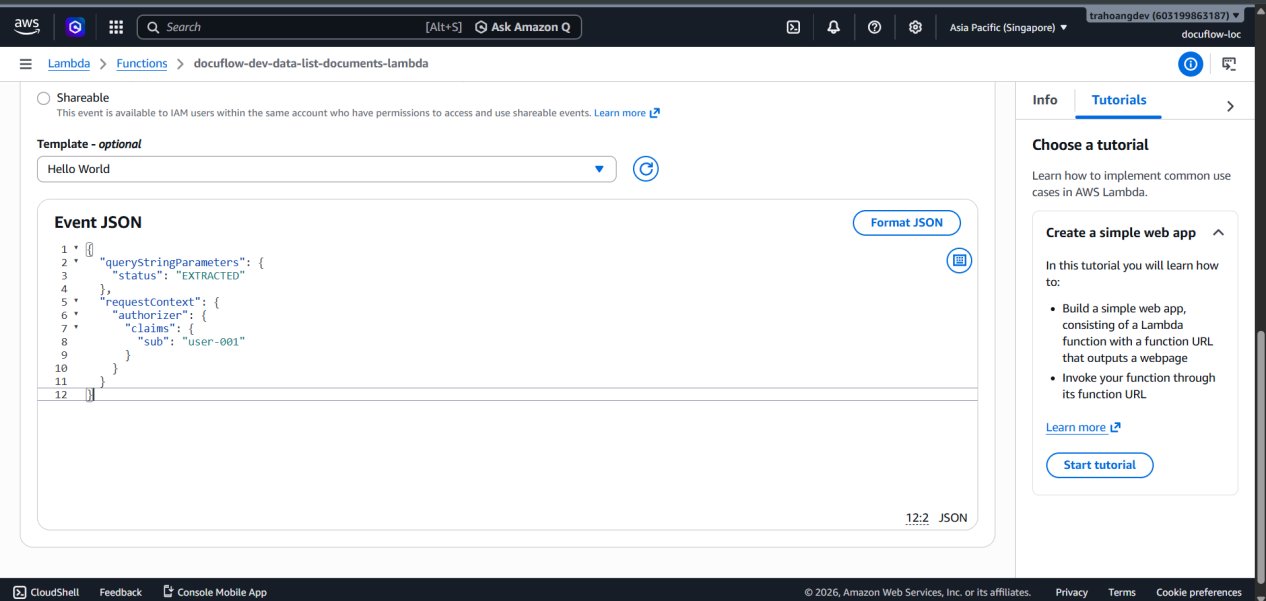
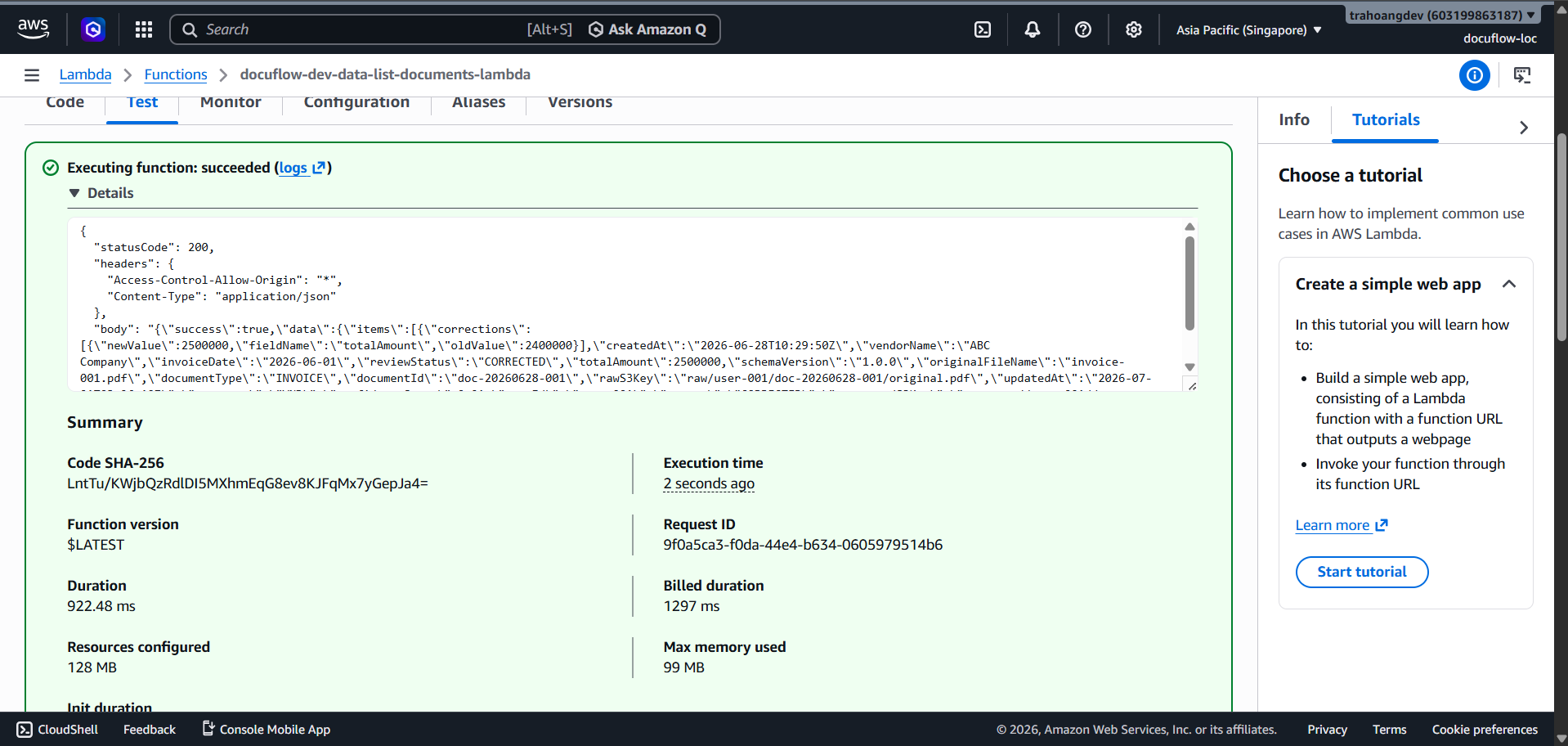
- Result: Returns HTTP Status 200 along with an array of items containing qualifying documents.
- Lambda Function:
- 2.3. Update Review Status API (
PATCH /documents/{documentId}/review)- Lambda Function:
docuflow-dev-data-review-update-lambda - Test Scenario: Simulate a user manually editing the amount on the Frontend interface. Send a payload updating
reviewStatustoCORRECTEDand log the corrections array.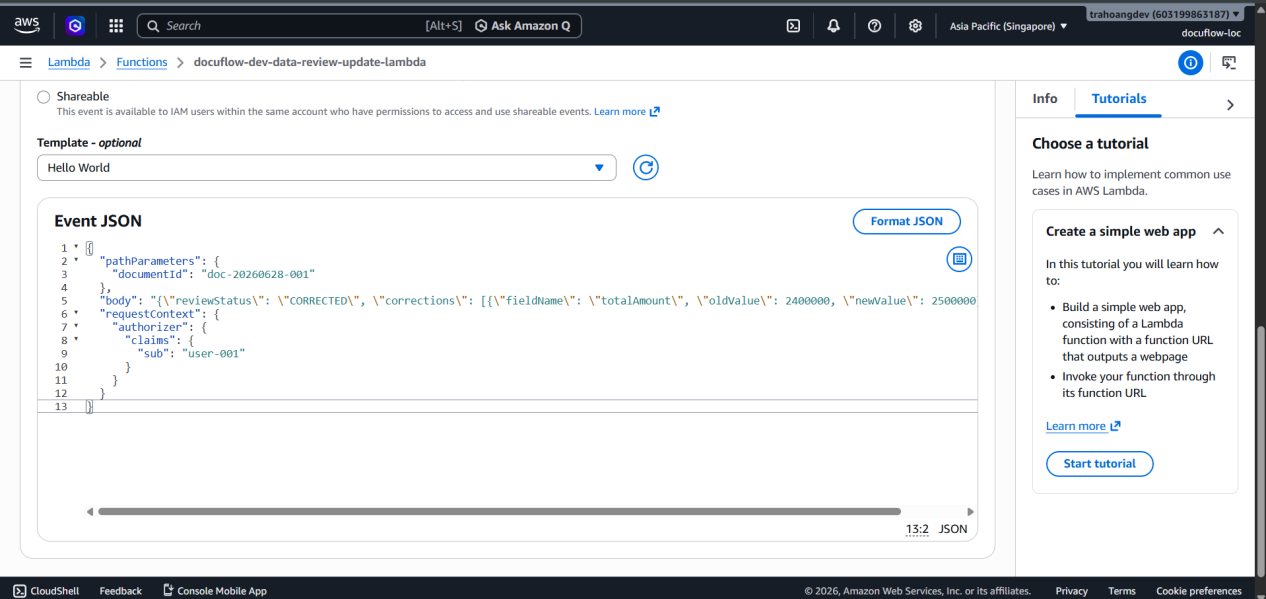
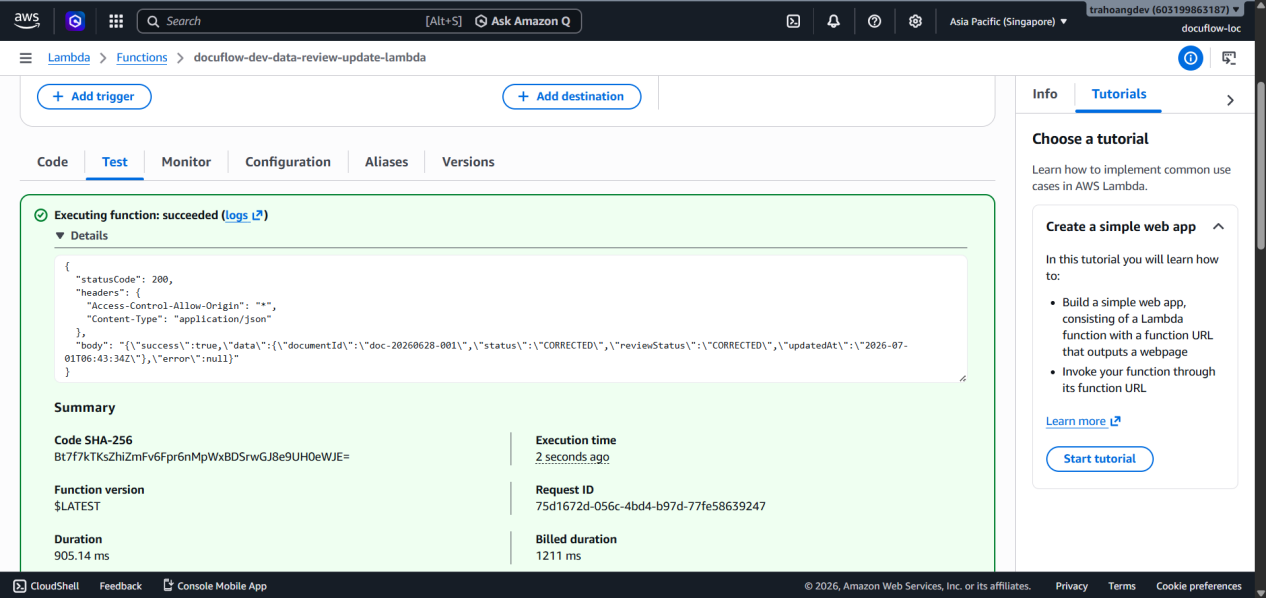
- Result: Returns HTTP Status 200, DynamoDB table successfully updates the status fields.
- Lambda Function:
Step 3: Lightweight Statistical Report
To support data monitoring and aggregation, a lightweight Node.js script has been deployed via AWS CloudShell to quickly export a report from DynamoDB without loading the main system. Execution steps:
- Access the AWS CloudShell environment.
- Create an executable file
report.mjsusing AWS SDK v3 to Query all user records via the Partition Key (PK = USER#{userId}).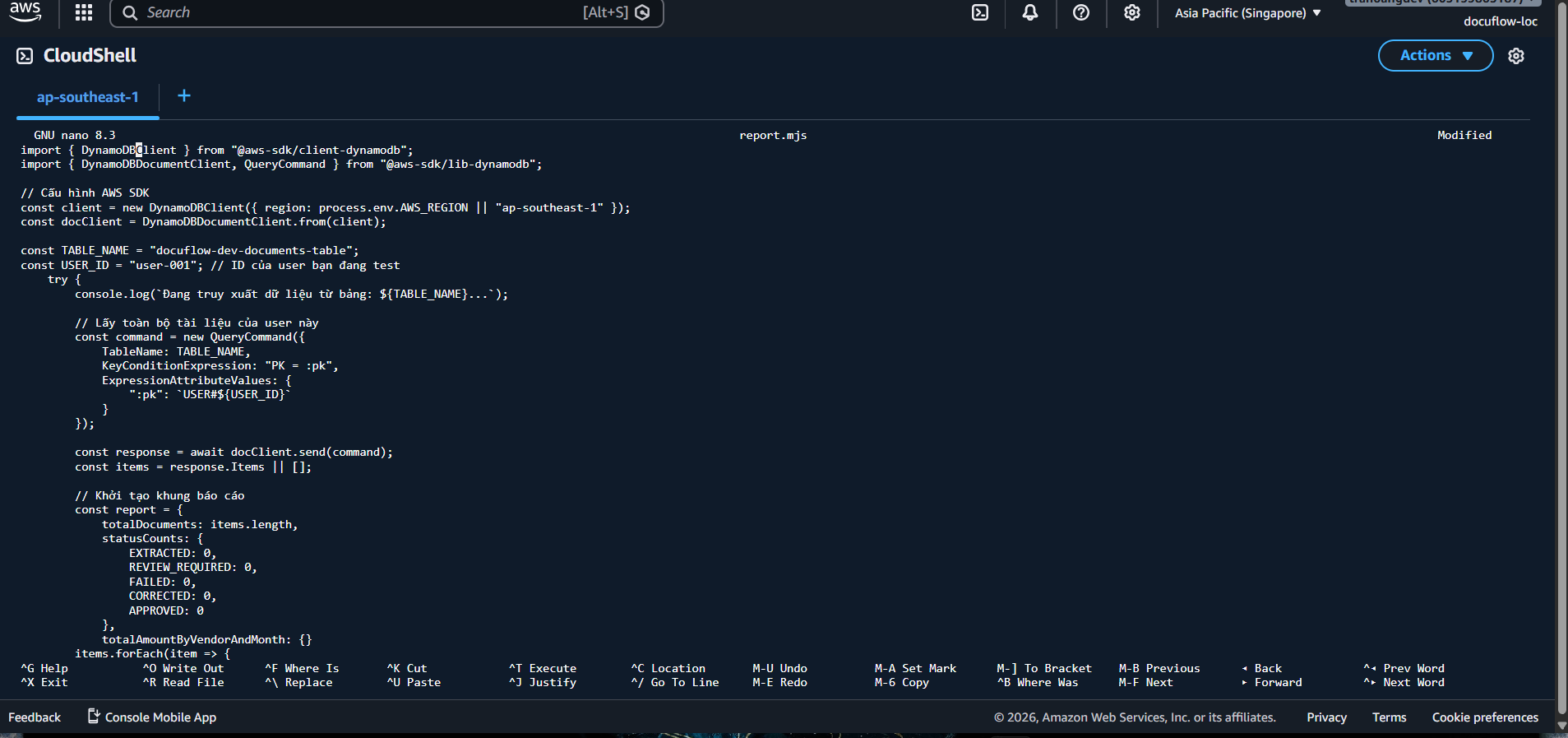
- Press
ctrl + oto save, then pressenterto confirm the filename. - Then press
ctrl + xto exit. - Install packages before running (if necessary).
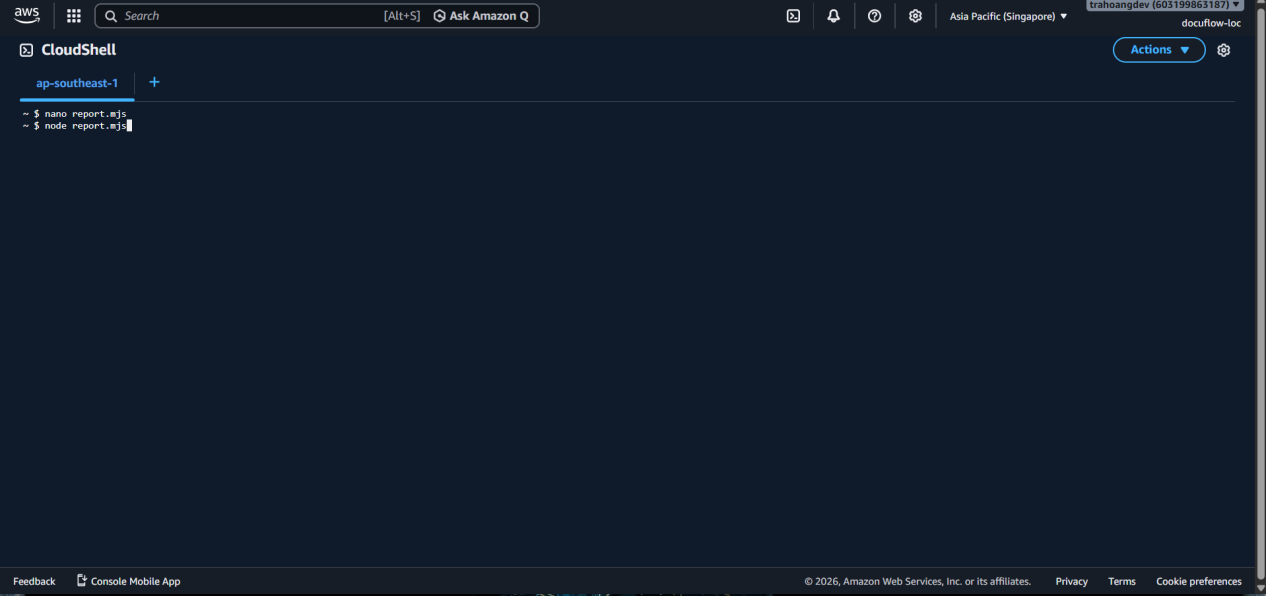
 6. Execute the command
 node report.mjs to proceed with counting and grouping data.
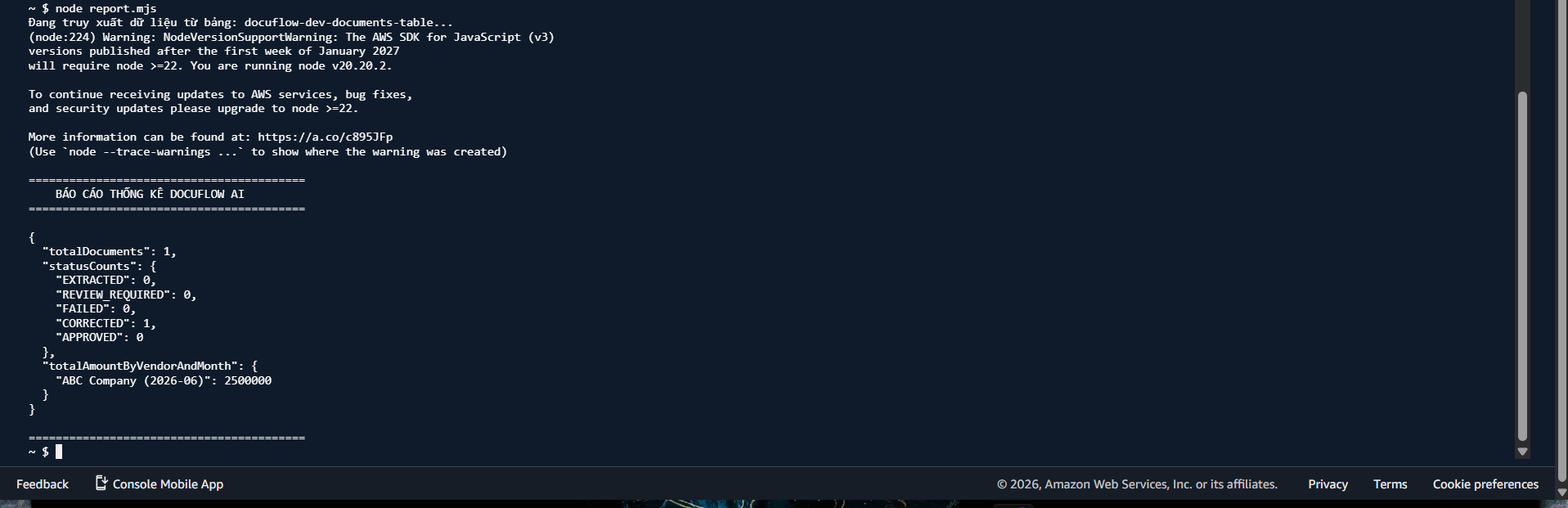
 Actual report results:
- Total documents: (Quantity)
- Classification by status: (How many EXTRACTED, REVIEW_REQUIRED, FAILED documents…)
- Total cost by vendor: Statistics of the sum of totalAmount grouped by vendorName and month.
Step 4: Data Model Explanation
To optimize costs and retrieval speeds on AWS according to the Serverless standard, the data model (Data Persistence) is designed based on the “Offloading” (separation) principle between DynamoDB and S3:
- Key Design in DynamoDB:
- Partition Key (PK):
USER#{userId}. Helps cluster all of a user’s documents into the same physical node, allowing the List Documents API to run extremely fast and saving RCU (Read Capacity Units). - Sort Key (SK):
DOC#{documentId}. Combined with PK to accurately retrieve (O(1)) a single document for the Get/Update API.
- Partition Key (PK):
- Global Secondary Index (GSI):
- Uses
GSI1PK = STATUS#{status}andGSI1SK = createdAt. This allows the system to easily query dashboard tables like: “Get the 10 most recent documents that failed (FAILED) or need review (REVIEW_REQUIRED)”.
- Uses
- Separating Metadata and Detailed Data:
- DynamoDB only stores summary data fields (metadata) necessary for filtering and displaying lists (such as filename, total amount, invoice date, status).
- The entire heavy JSON structure (which can be up to hundreds of KB when containing details of each line item) is pushed to static storage in the S3 Bucket (
processedS3Key). When the Client needs to view details, Lambda will pull the file from S3 to return it. This approach avoids hitting DynamoDB’s 400KB/item limit and reduces expensive database storage/retrieval costs.