End-to-End Testing
1. Goal
Execute a complete integration test of the system from the frontend interface down to the background processing pipelines, verifying all distinct logic paths to collect testing evidence.
2. Test Scenarios
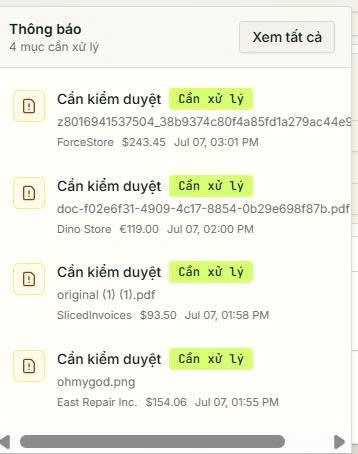
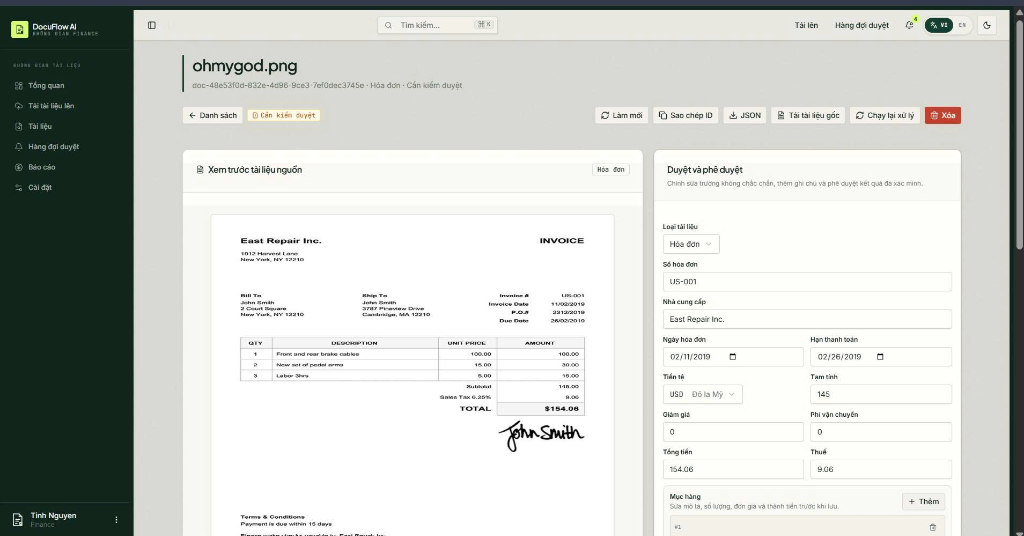
Scenario 1: Human-in-the-loop Flow (Blurry Invoice / Low Confidence)
Simulation steps: Upload a blurry receipt or an invoice missing critical fields like the total amount (totalAmount).
System workflow:
- The document is uploaded and processed through the pipeline steps.
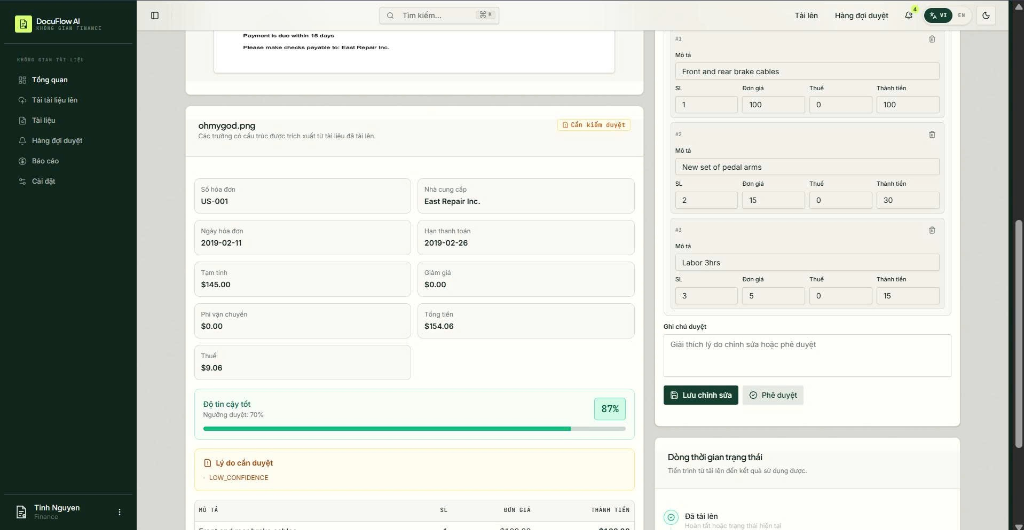
- During the confidence check, the Confidence & Status Lambda detects that the average confidence score is < 90% or missing critical fields.
- The Lambda function updates the DynamoDB item status to
REVIEW_REQUIREDand sets the review status toPENDING. - A CloudWatch Alarm fires on status changes, publishing an email alert to the Admin via SNS/SES.
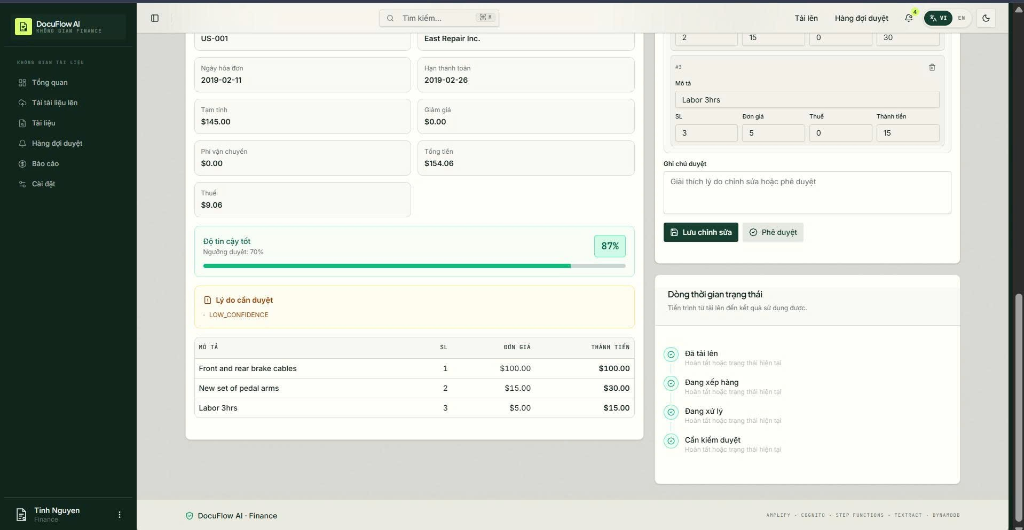
- The Admin opens the Reviewer Dashboard on the Frontend, examining the review form containing the low-confidence fields.
- The Admin corrects the values and clicks Approve. The Frontend sends a PATCH request to the
review-updateLambda, changing DynamoDB status toAPPROVEDand overwriting the correctedresult.jsonin S3.
Evidence:
Scenario 2: Validation Failure (Invalid File Format)
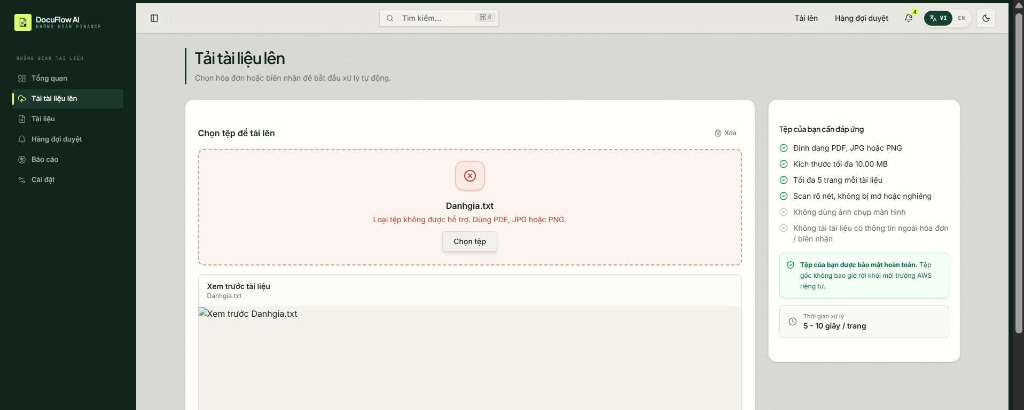
Simulation steps: Upload a plain text
.txtfile (or a file larger than 10MB).System workflow:
- The Frontend checks if the file has the correct format.
- If the format is invalid, the Frontend will display an error for the invalid file and prevent it from being uploaded.
Evidence:
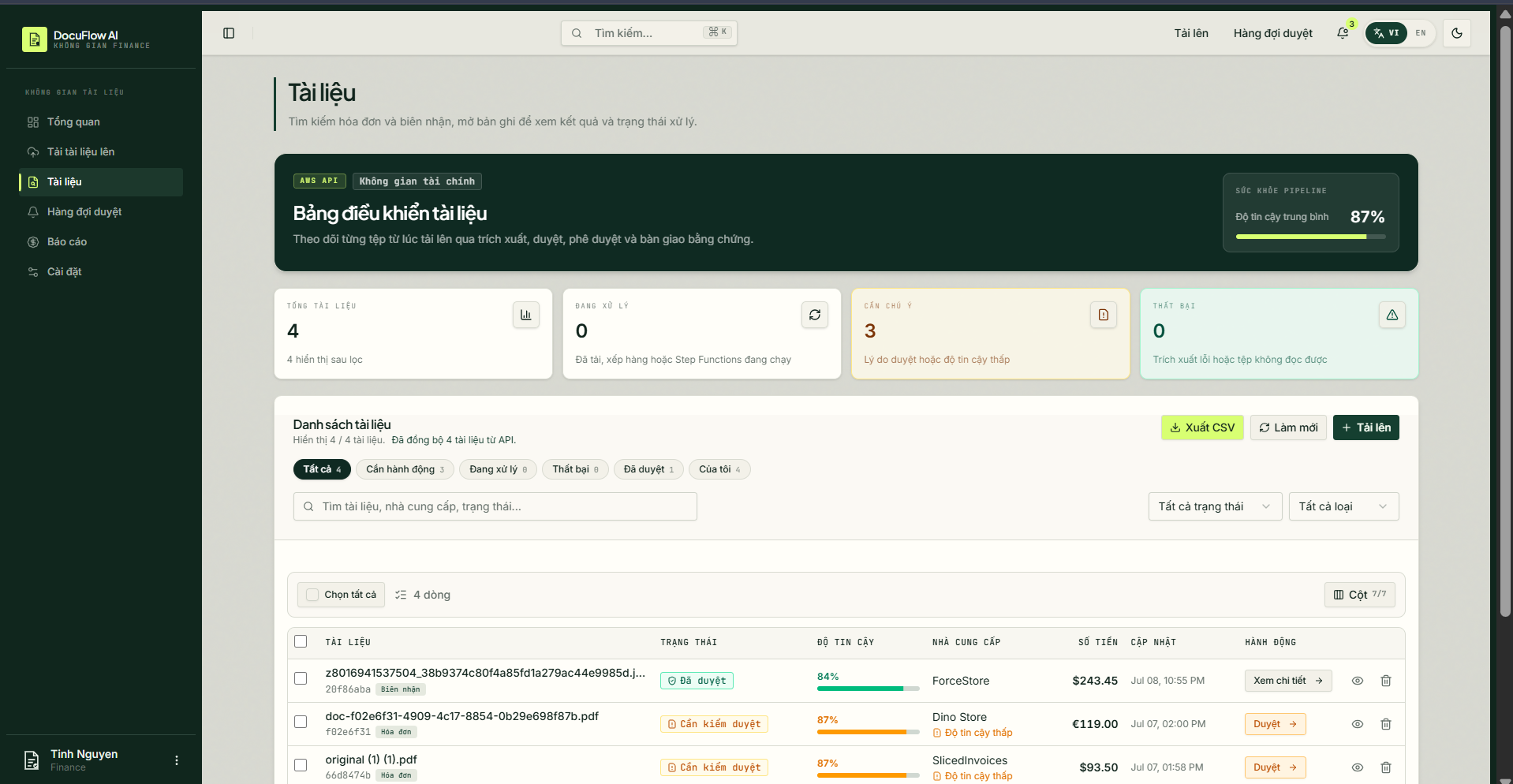
Scenario 3: View Document List
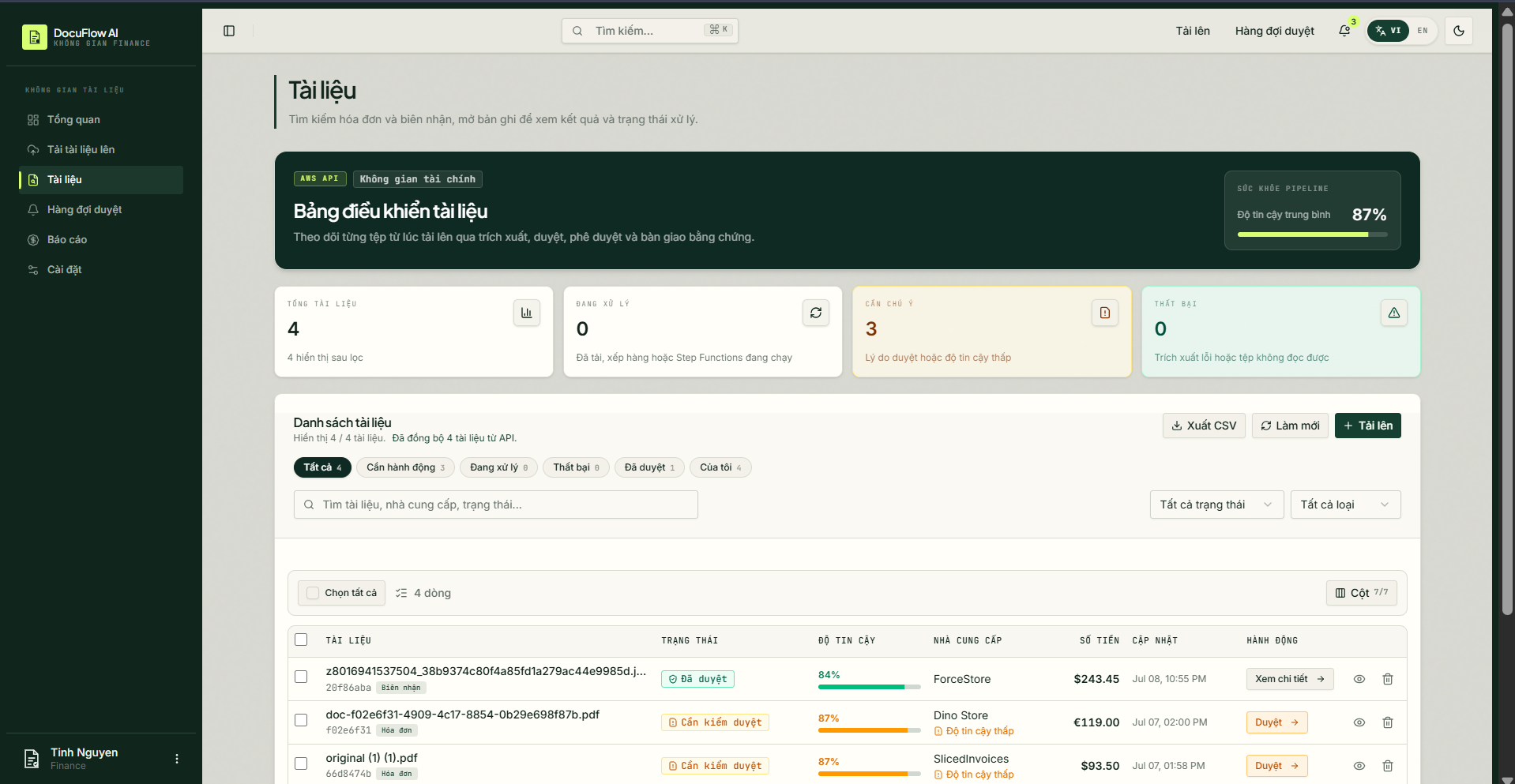
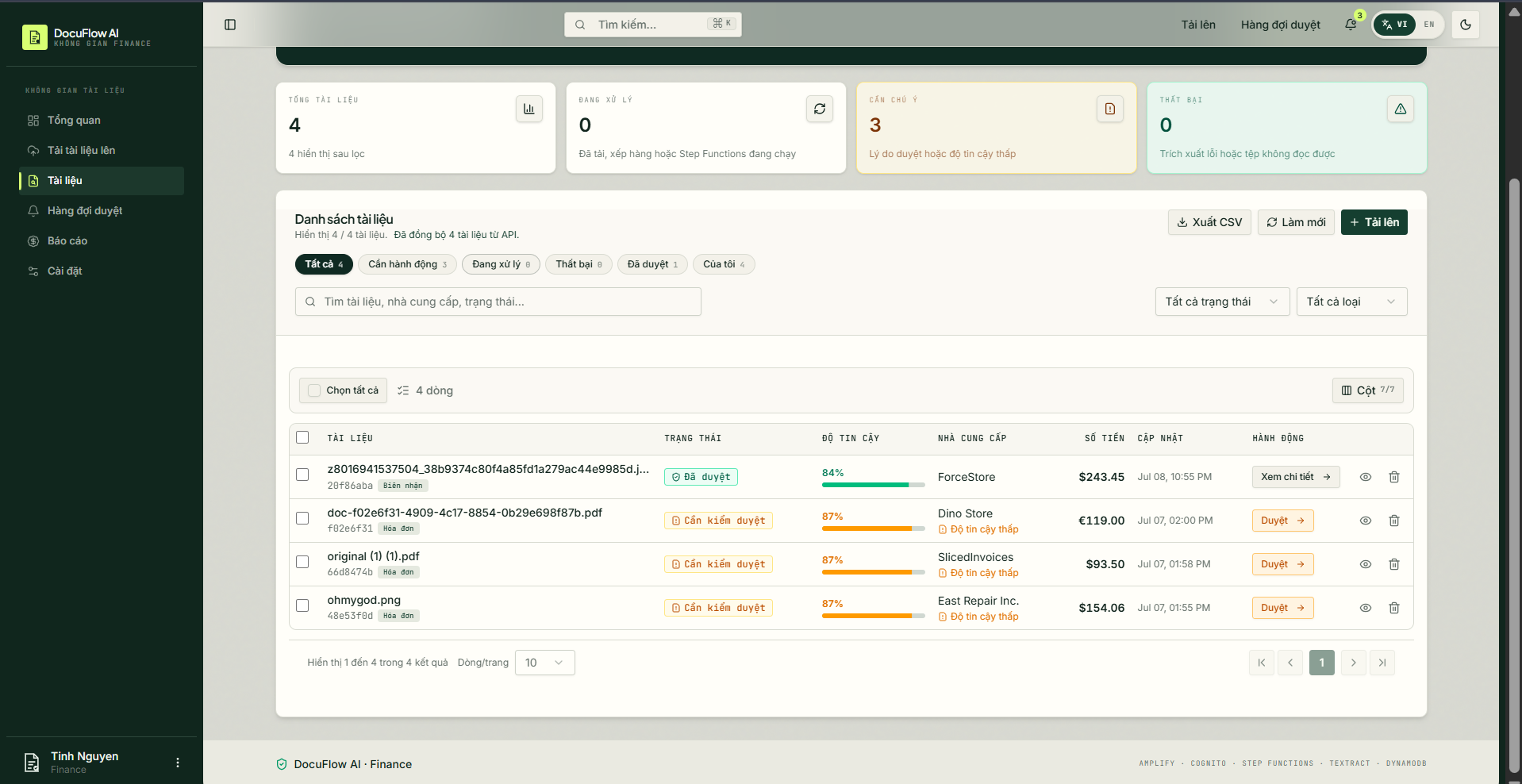
Simulation steps: Navigate to the document list page on the user interface.
System workflow:
- The Frontend calls the API to retrieve the list of uploaded documents from the backend.
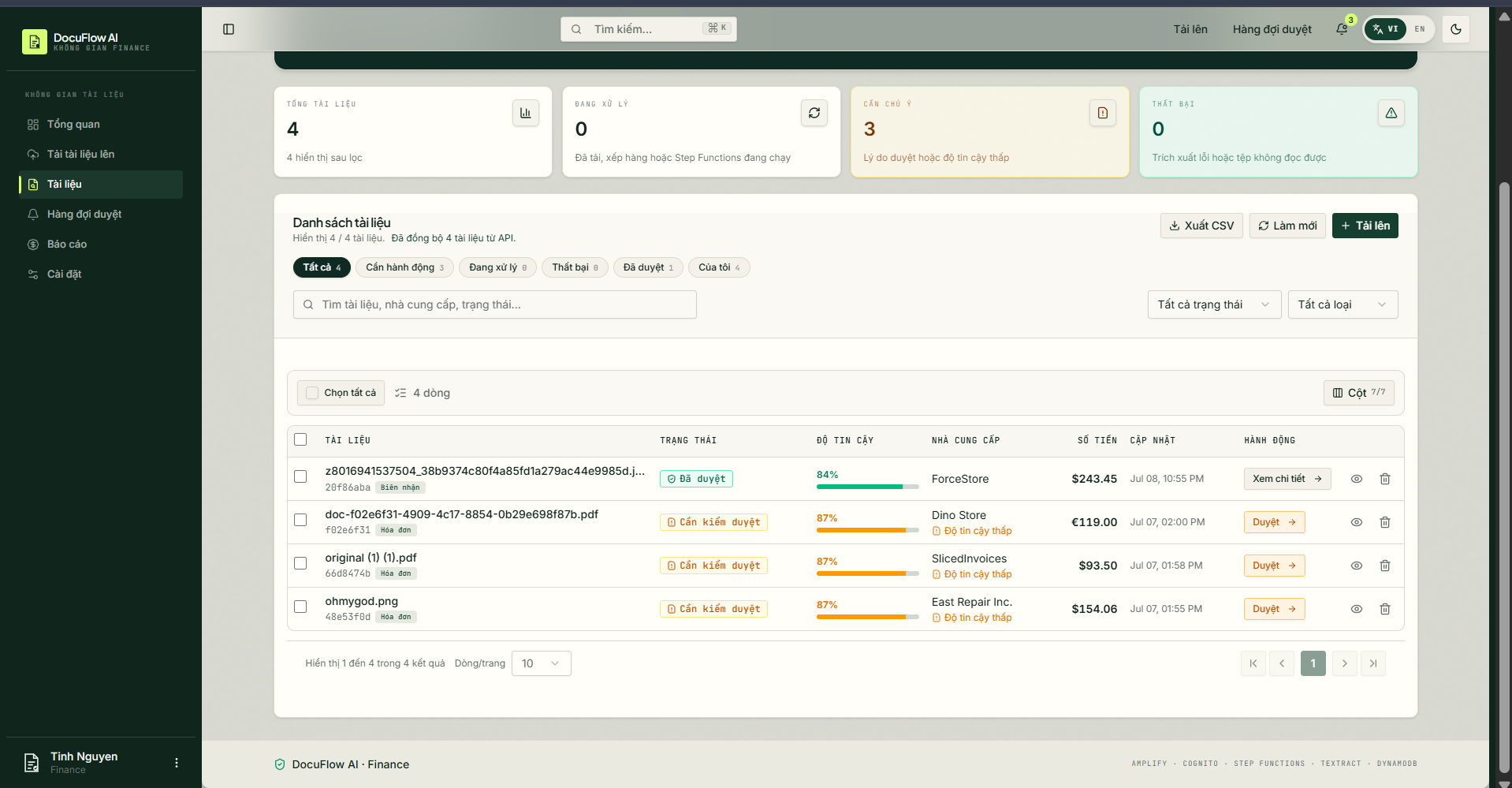
- The UI displays the list of documents along with basic information: file name, upload date, and processing status (e.g., APPROVED, REVIEW_REQUIRED, FAILED).
Evidence:
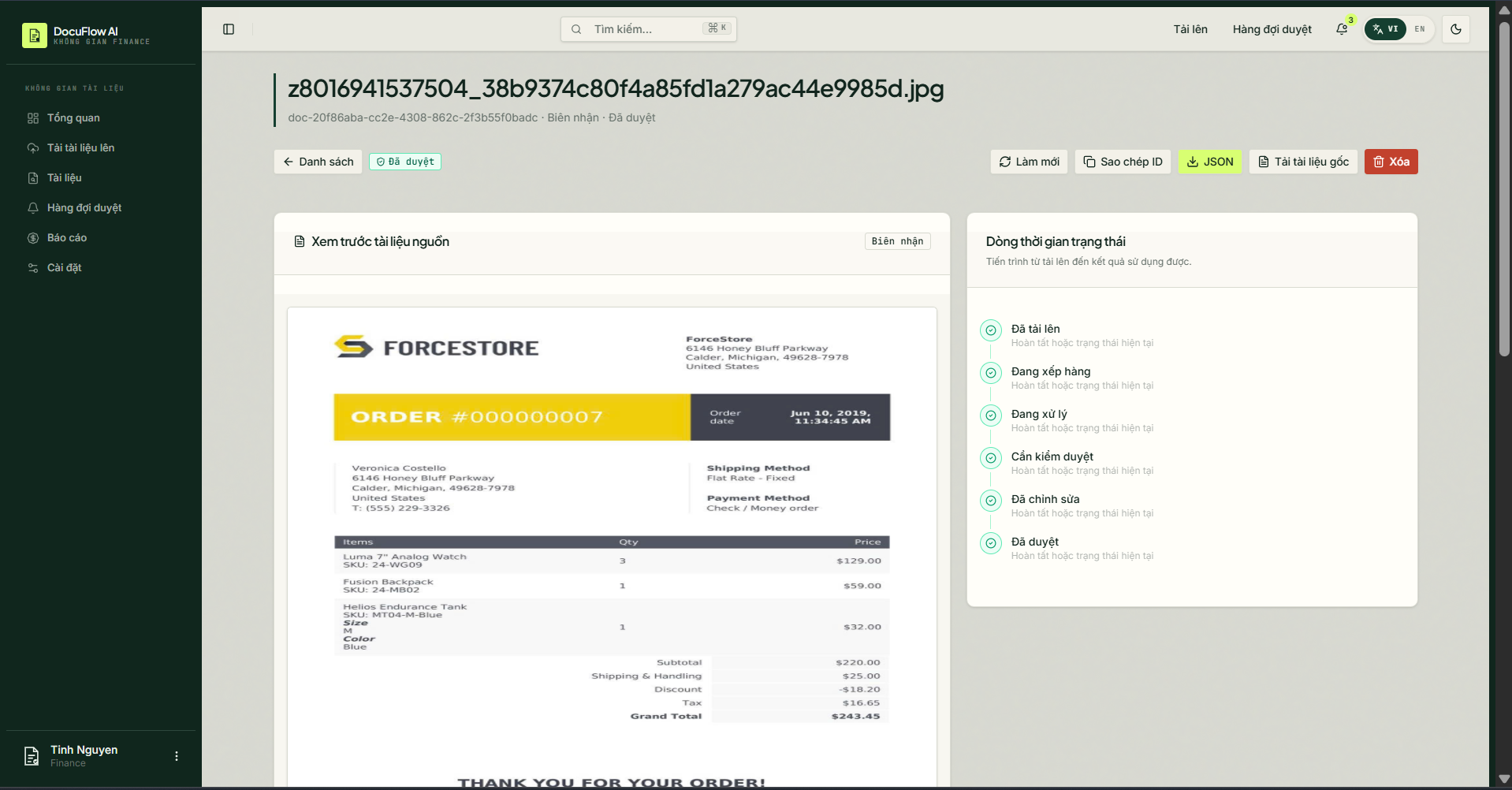
Scenario 4: View Extraction Details
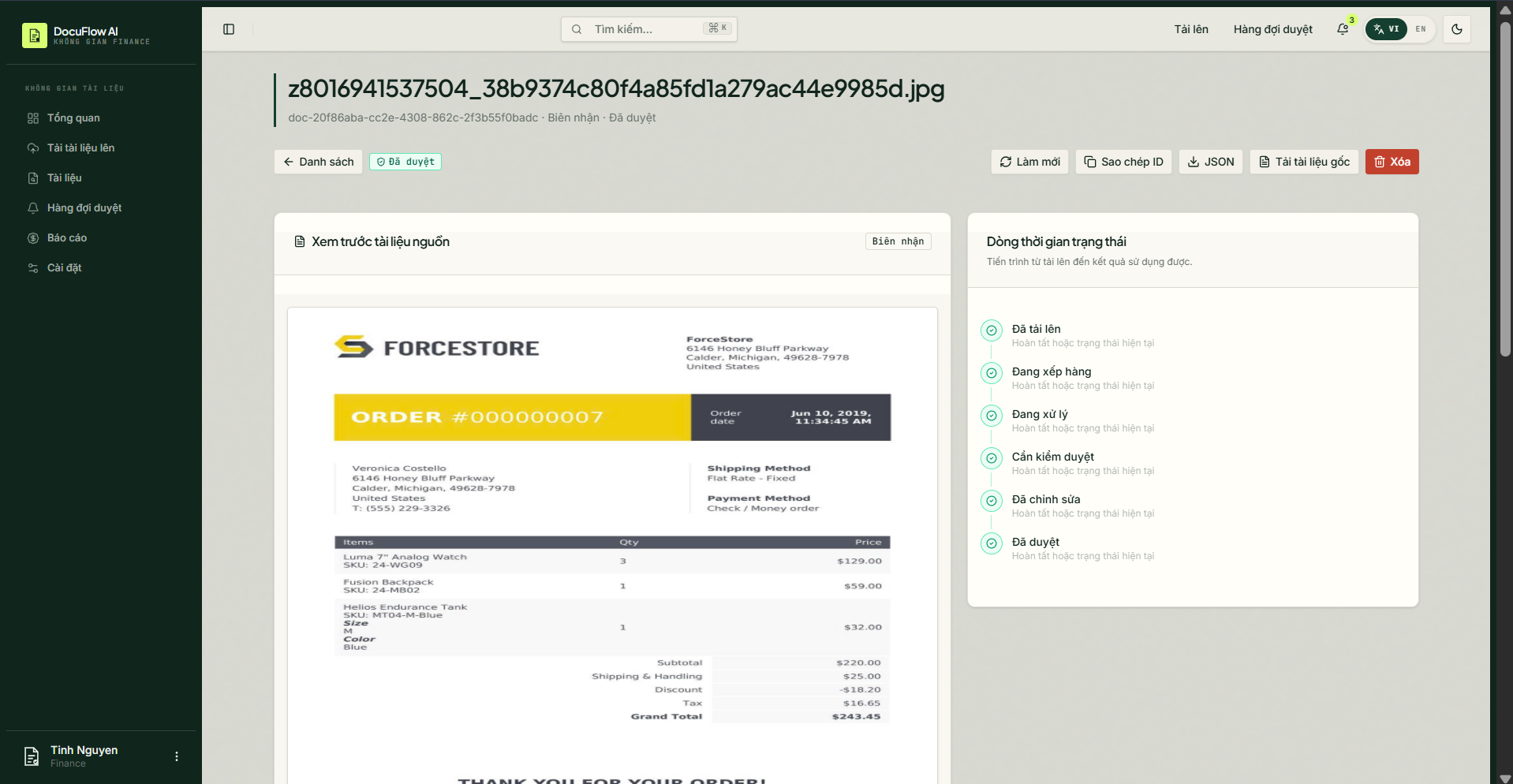
Simulation steps: Click on a successfully processed document in the list.
System workflow:
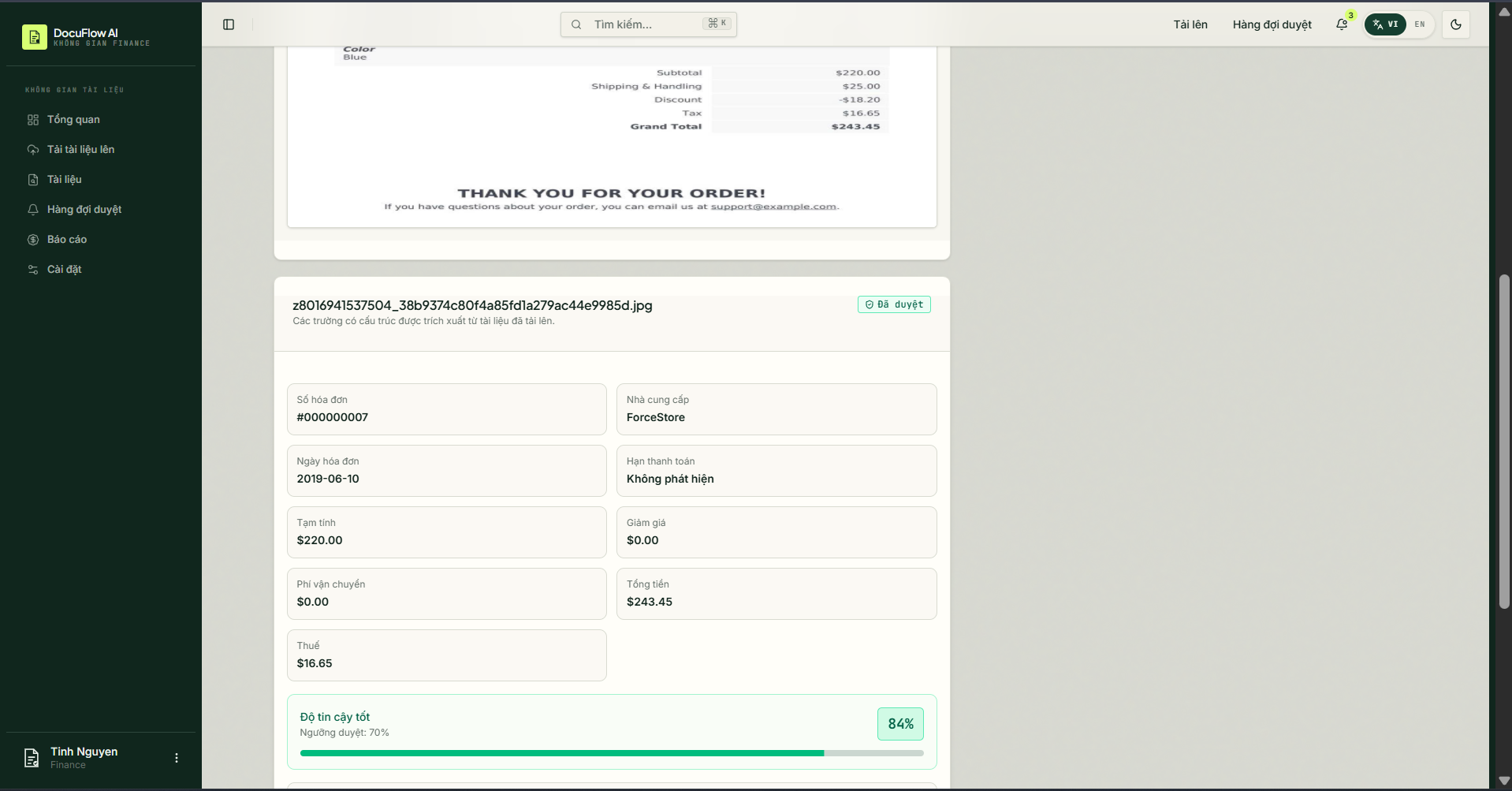
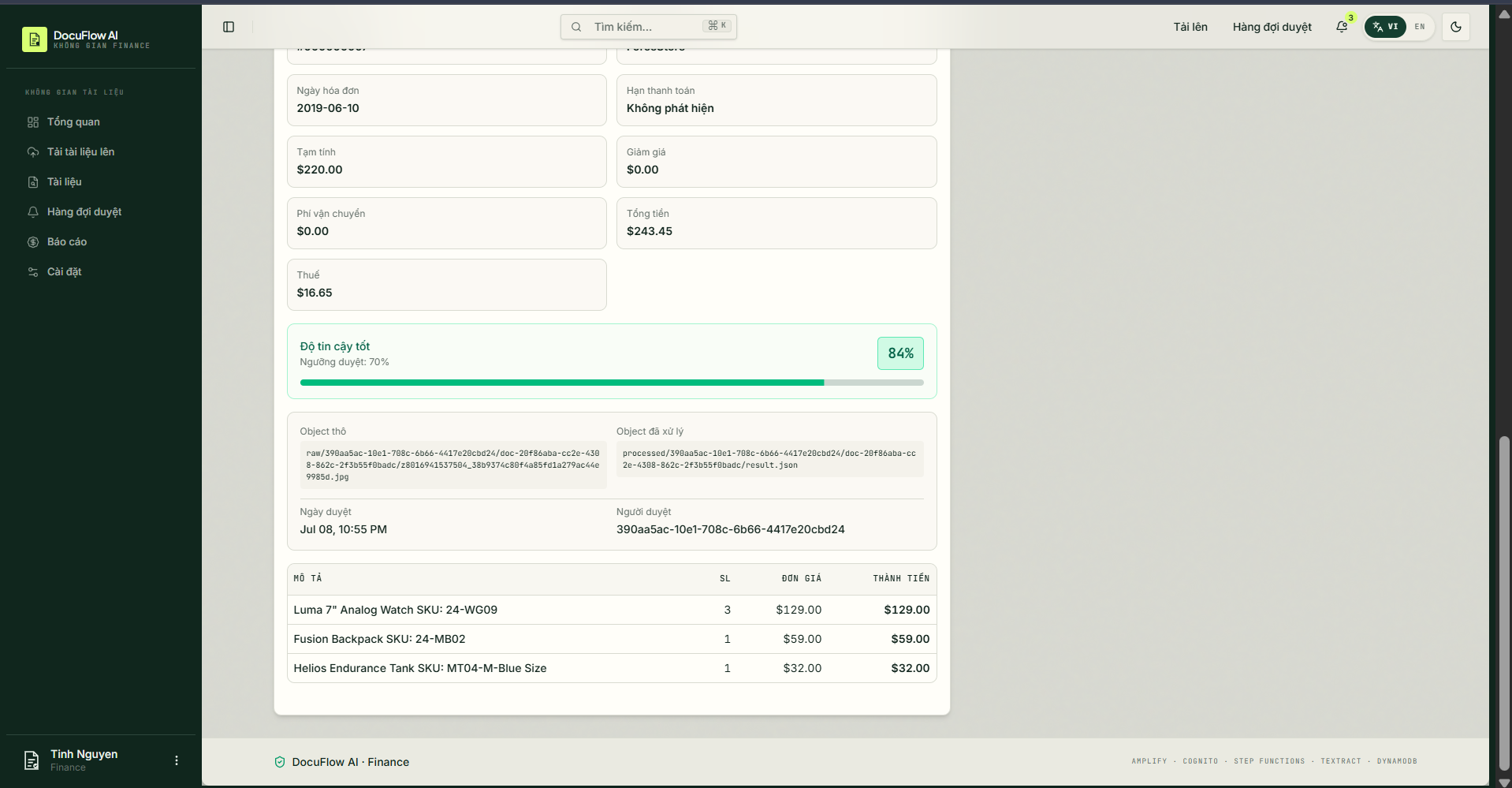
- The Frontend calls the API to retrieve the extracted details of the document along with the original file URL.
- The UI displays the document details, including the original image/PDF alongside the extracted data fields (Vendor Name, Total Amount, Date, etc.).
Evidence:
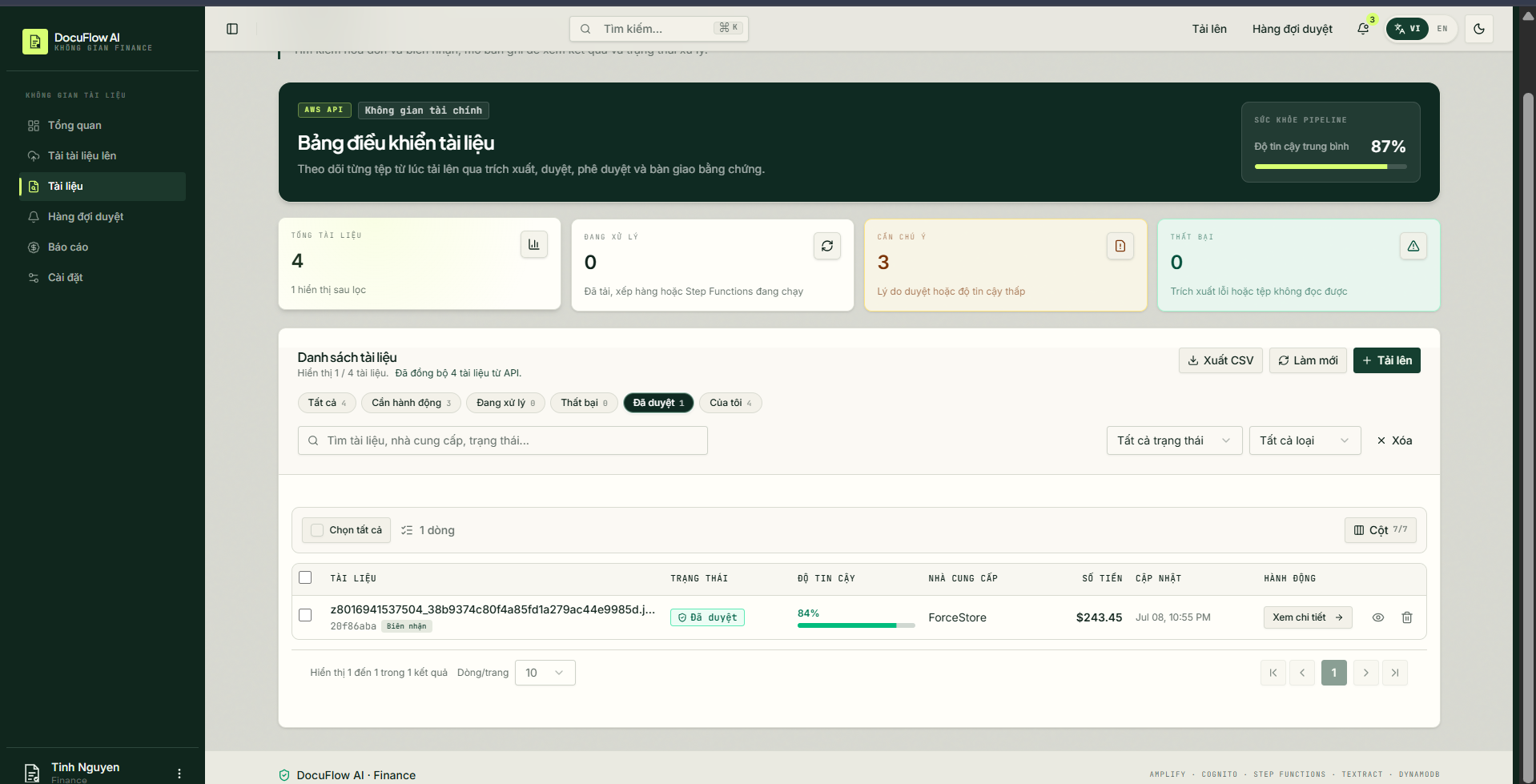
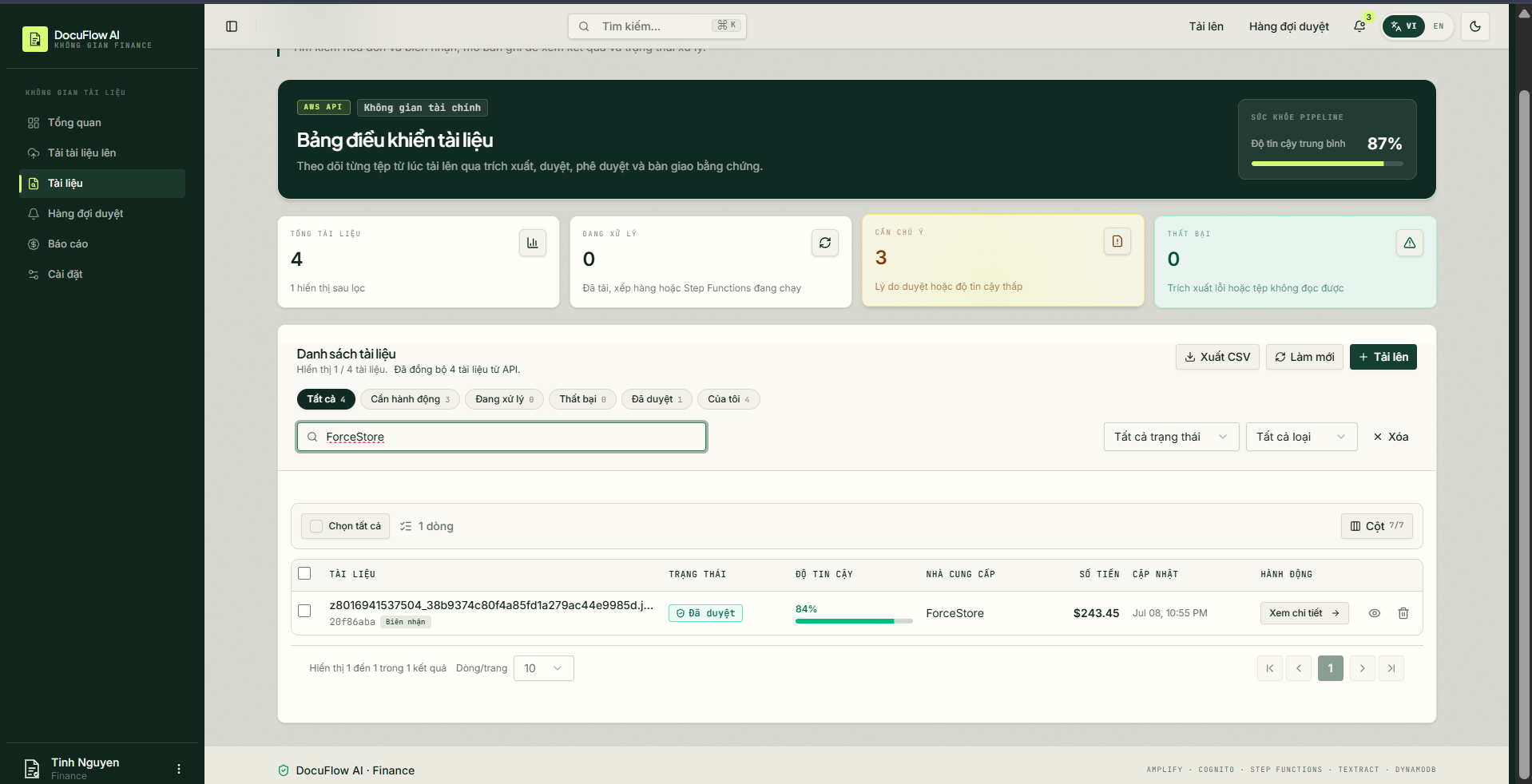
Scenario 5: Search, Filter & Dashboard Statistics
Simulation steps:
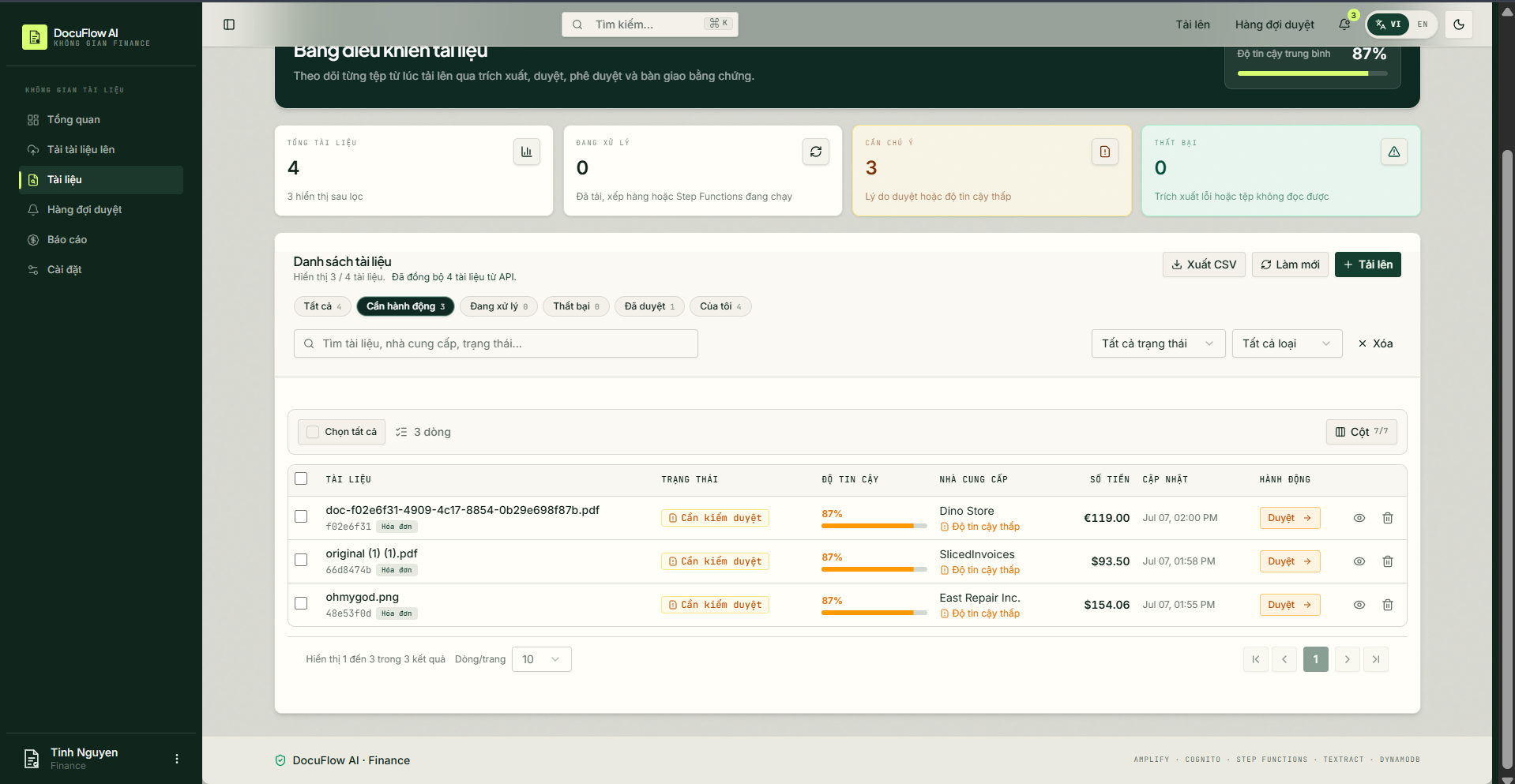
- Switch between different status tabs (e.g., “Action Required”, “Approved”).
- Type a vendor name (e.g., “ForceStore”) into the search bar.
System workflow:
- The Frontend sends an API query request with the corresponding parameters (status, keyword).
- The Backend executes the query on DynamoDB and returns the filtered results.
- The UI updates the list and the real-time statistic cards reflecting the total document counts.
Evidence:
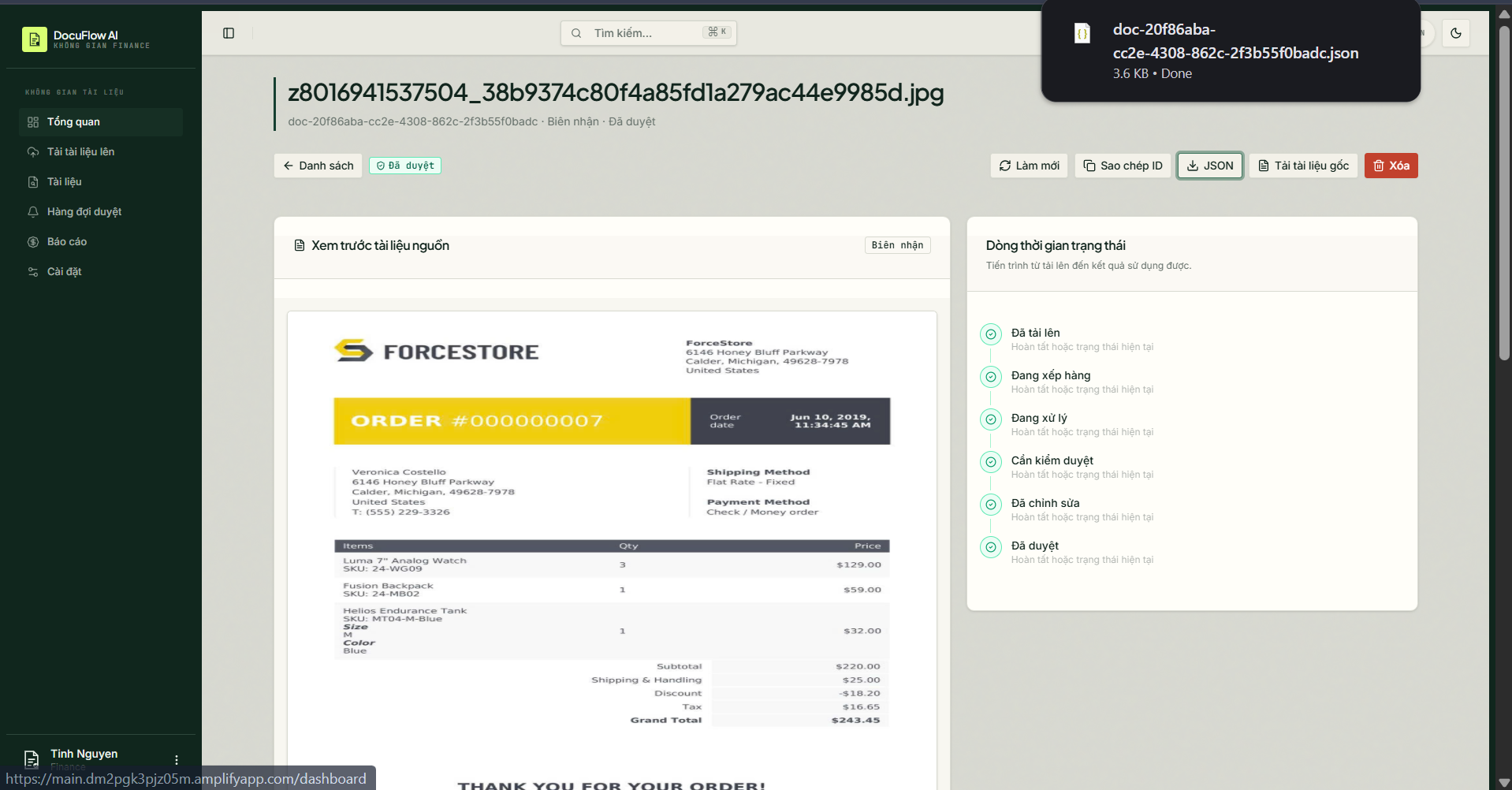
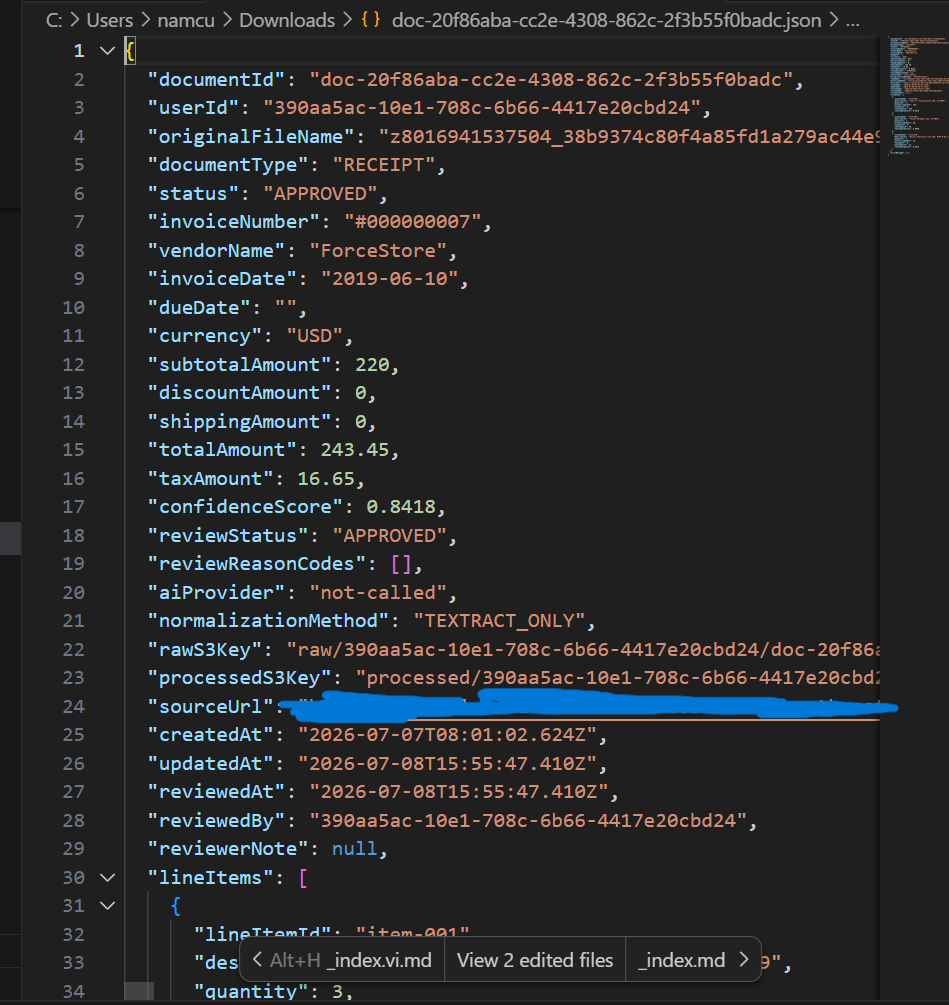
Scenario 6: Export Reports & View Raw Data (Export CSV & View JSON)
Simulation steps:
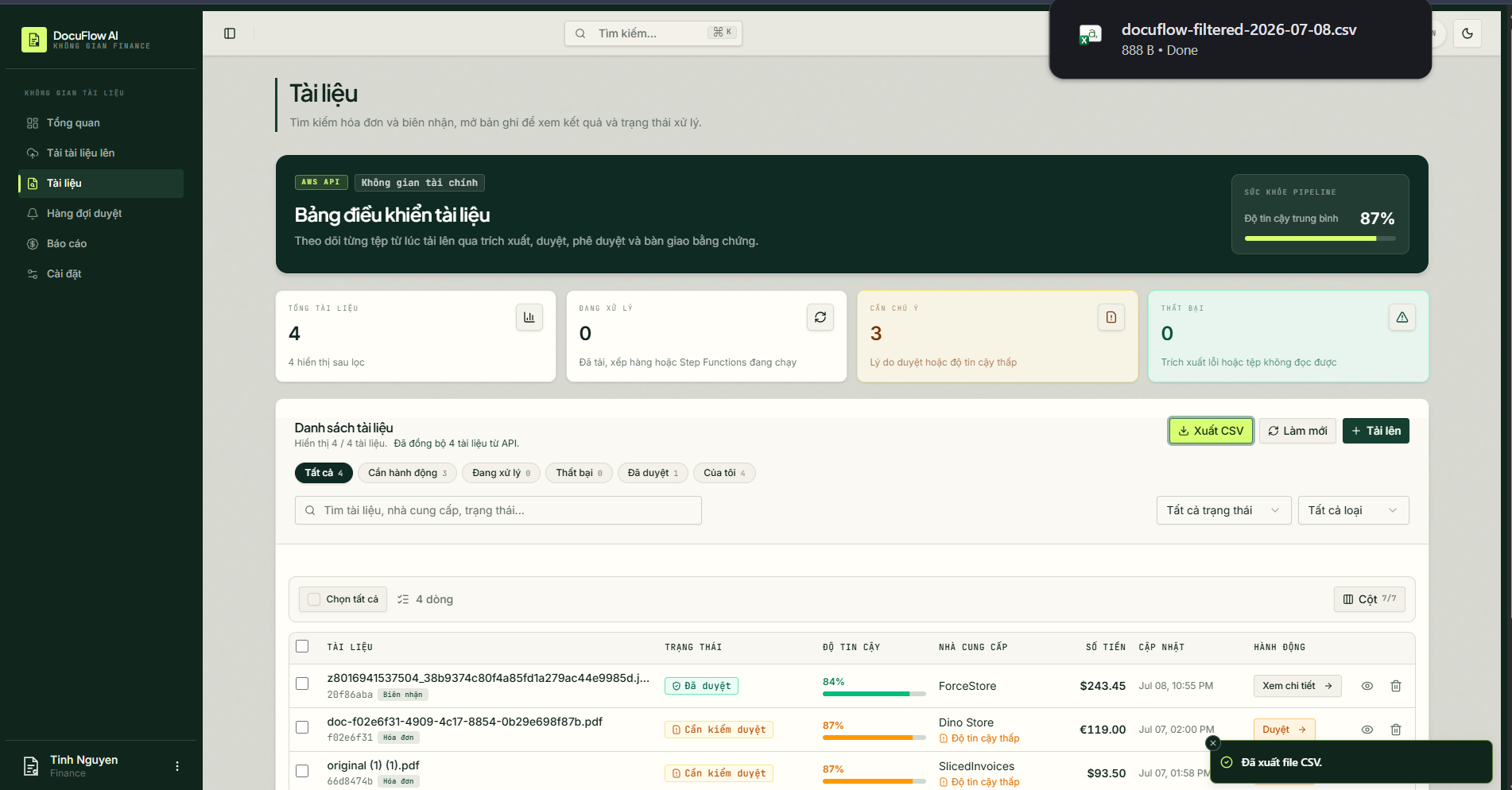
- Click the “Export CSV” button on the document list page.
- Open the details of a document and click the “JSON” or “Download original” button.
System workflow:
- The Export CSV feature aggregates the data from the current list and triggers a
.csvfile download in the browser. - The “JSON” button displays the raw JSON data returned by Textract/AI Proxy that is stored in the system.
- The Export CSV feature aggregates the data from the current list and triggers a
Evidence:

3. Expected Result
- The asynchronous processing pipeline and frontend interface behave correctly across all test scenarios.
- Automated alerting dispatches warnings on failures and review-required triggers.
- S3 and DynamoDB maintain consistent data mapping.